
Brand Lift (BLS) is a powerful advertising measurement tool that helps to assess the impact of your advertising campaigns on key brand metrics. It helps you to understand how the ads are influencing consumer perceptions, attitudes, and behaviors.
If your Facebook Ad Account supports setting up Reach and Frequency campaigns with BLS, you can now publish them from Shopalyst Discovery Commerce Cloud and make use of the enhanced Audience Targeting and Creatives in your campaigns. This feature is now available when you create RnF campaigns via Plan uploads.
To upload the RNF Campaigns with BLS support, follow the below steps:
1. Navigate to the Plan Uploads section under Automation. Select Platform as Facebook and "Reach and Frequency Ads" as the Template. 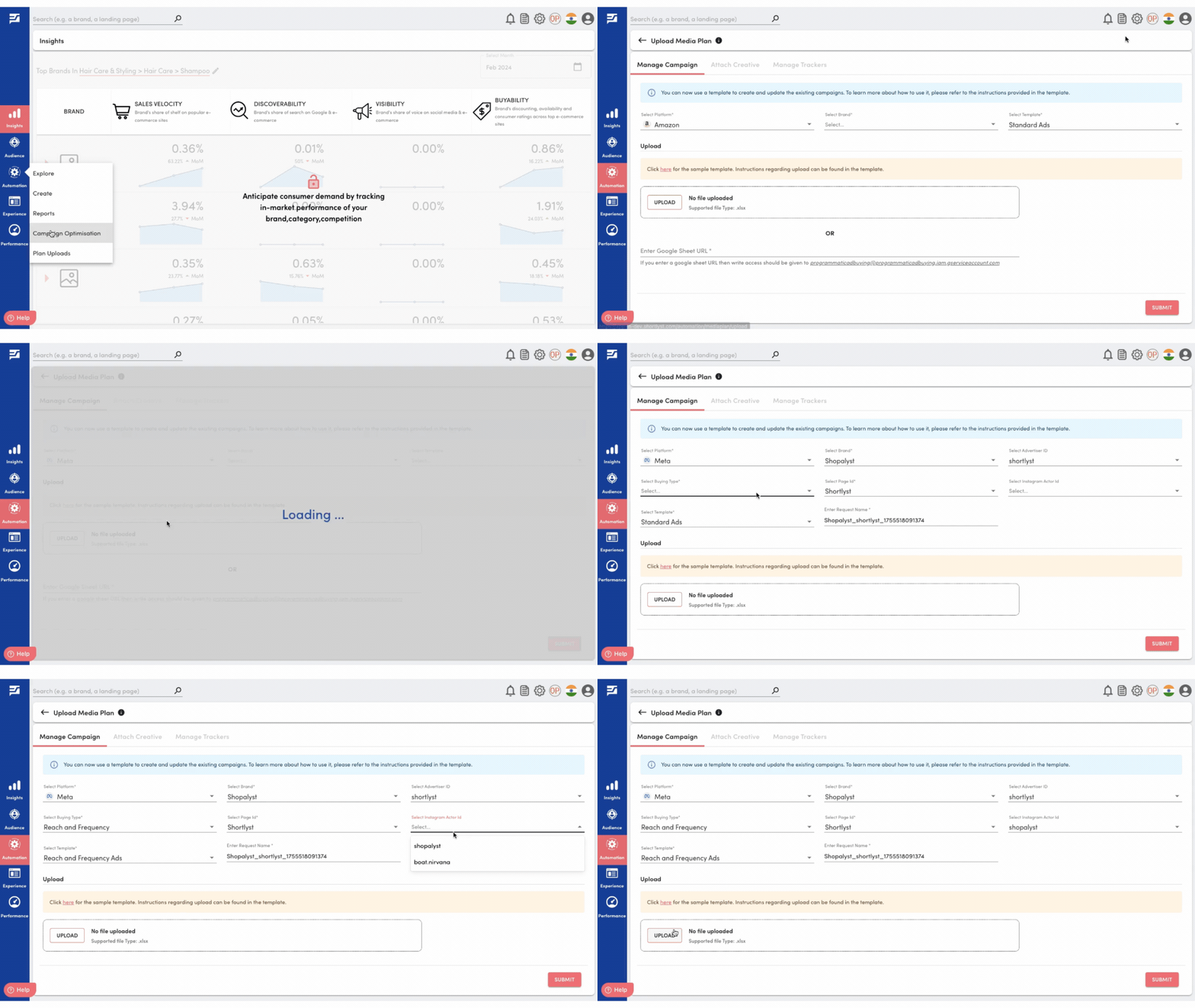
2. Next step is to upload the template with the BLS value marked as 'Yes' and Submit the request.
3.After uploading the media plan the screen will redirect to media plan page. If the media plan was success the status icon changes to 'green' colour. If any error happen the media plan the icon colour changes to 'red' .And also you will receive a mail and notification on discovery commerce cloud.
4.Once the upload request is successful, you can proceed to do BLS Publish to create the shell campaign via Automations -> Explore -> Actions Option.
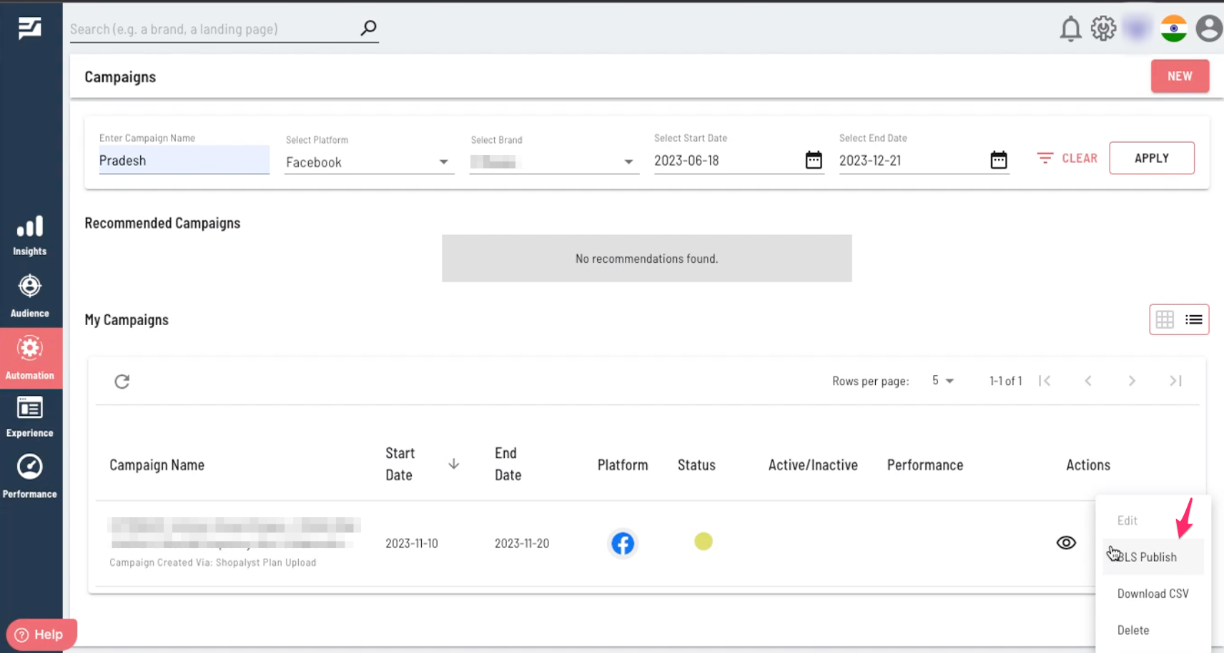
5. After the shell campaign is created, an email will be sent to you containing the BLS report. This report can be shared with the Facebook team for setting up BLS audiences.
The format of the report will be as below:

6. Once the Facebook team reserves the audience, you can proceed by taking action on the "Reserve Inventory" option under the Actions section. After initiating this, you will receive a report via email confirming the reservation of the inventory.

The report will have the following structure:
By completing the above steps, the status of the campaign will be updated to "Audience reserved in the platform," indicating the successful completion of the necessary actions.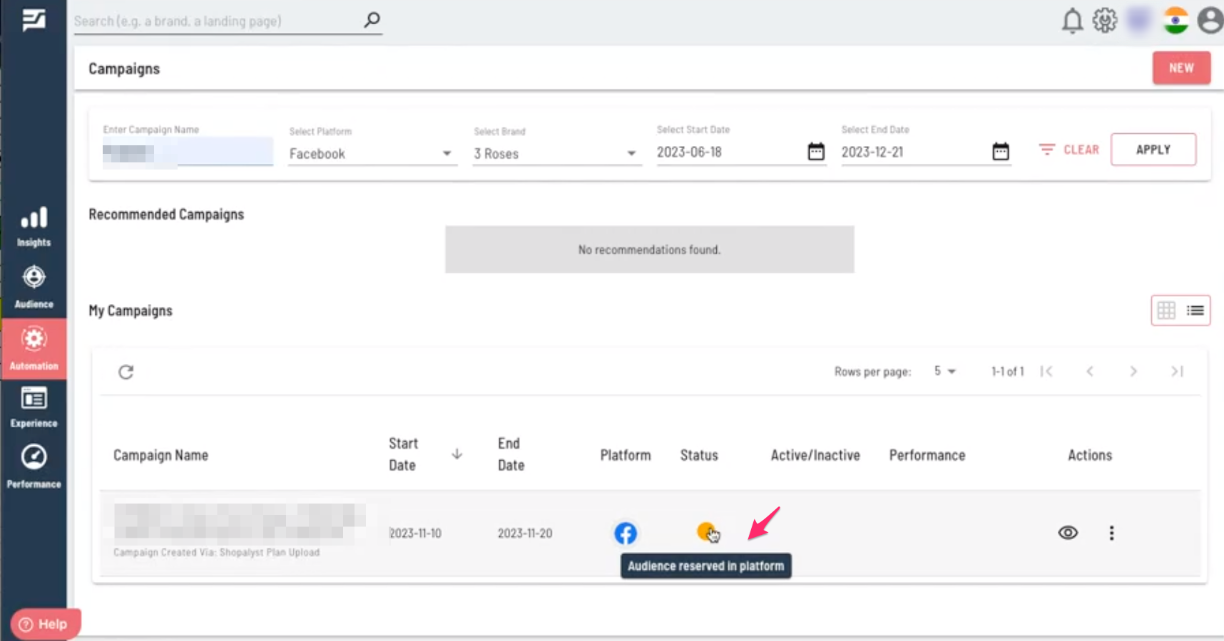
Before utilizing Brand Lift, please ensure that you have taken the following details into consideration:
1. Run one campaign for one brand or product.
2. Plan to keep the creative and budget the same throughout the campaign.
3. When you set up a test, the ad sets you create for the test should fall either completely within or outside of the dates of your test.
For example: If you run a brand lift from 8 June to 8 July, you'll want to make sure that you create an ad set that falls completely within or outside of both dates.
You shouldn't use Brand Lift if you have other active campaigns for the same brand or product running across Meta technologies. Running more than one campaign may result in people in the holdout group seeing your ad from one of the other campaigns, which would contaminate the results.
Looking for more help? Instructions to reach out to support are here.