
This document explains how to provide partner businesses with access to your Meta app and how they can connect their ad accounts to it.
To enable a partner to integrate with your Meta App:
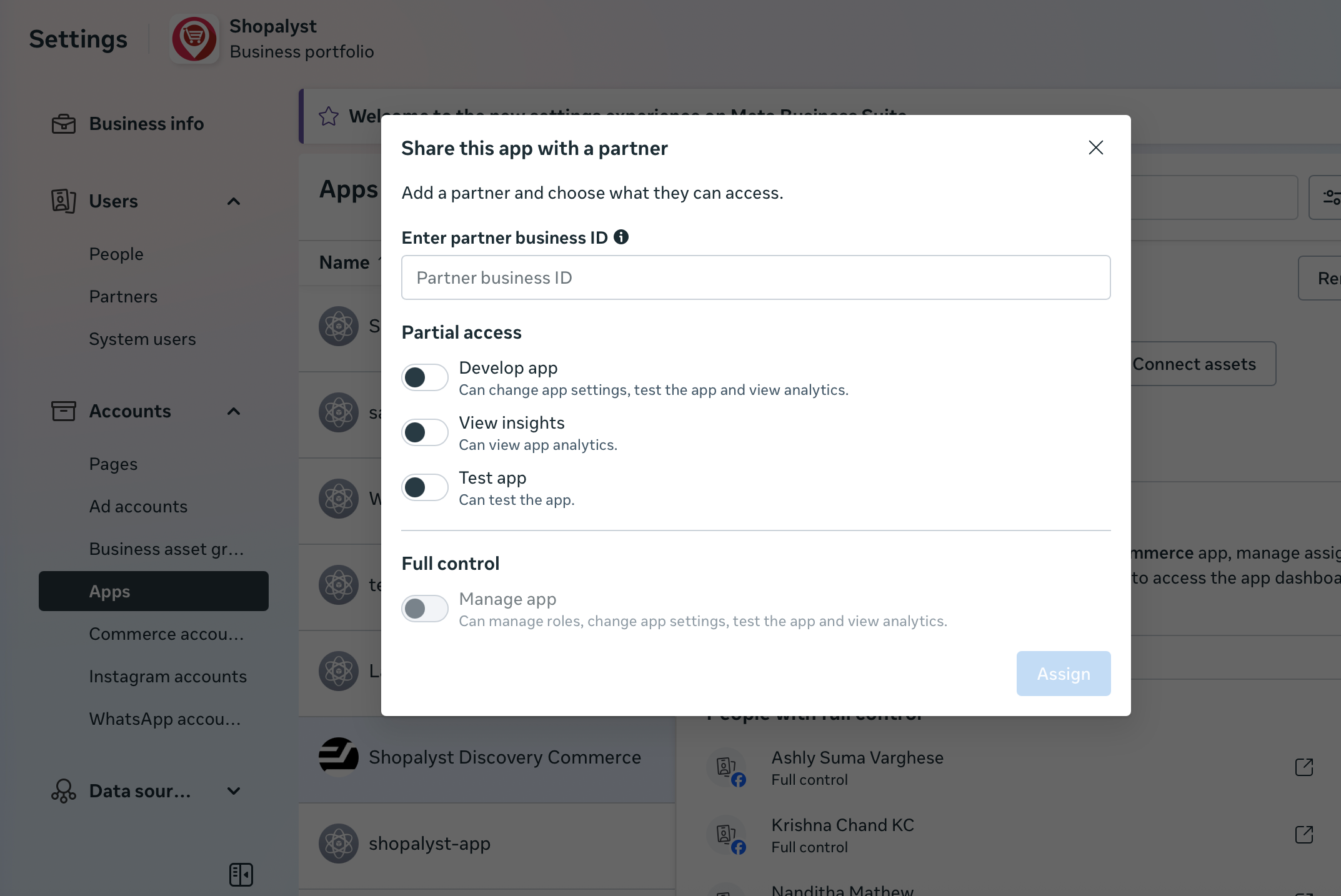
Add the partner’s Business Manager to your Meta App via
Business Settings → Accounts → Apps → Select App → Add Partner.Partner Connects Their Ad Accounts to the App
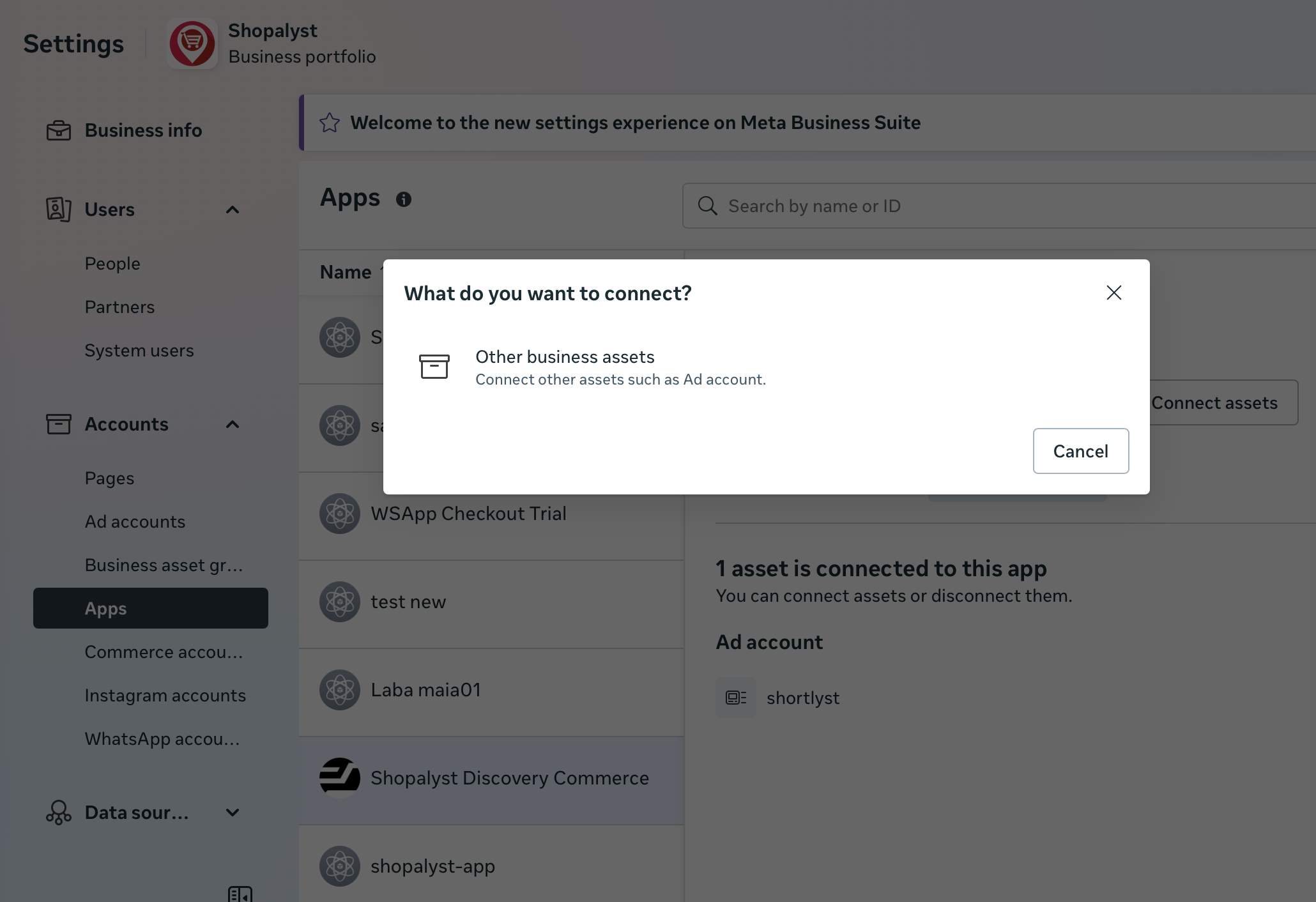
The partner must then link their Ad Accounts to the app via their own Business Manager:
Business Settings → Accounts → Apps → Select App → Connect Assets → Ad Accounts
1. Adding a Partner to Your Meta App
To enable another business to work with your Meta App—such as for API integration, automation, or campaign management—you must first grant that business access to the app.
Steps to Add a Partner
Open Meta Business Settings.
Go to Accounts → Apps.
Select the App you want to share.
Click Add Partner.
Enter the Partner’s Business Manager ID.
Assign the required permissions (Full control).
Once added, the partner business will see your app inside their Business Manager under Accounts → Apps.
2. Partner Connecting Their Ad Accounts to the App
After the partner is added to your app, they must link their Ad Accounts to the app so the app can access campaigns, insights, or execute automation through the Marketing API.
This is done from the partner’s Business Manager, inside the App section.
Steps for the Partner to Connect Their Ad Accounts
The partner logs in to their Meta Business Manager.
Navigate to Business Settings → Accounts → Apps.
Select the App that your business shared with them.
Click Connect Assets.
Choose Ad Accounts as the asset type.
Select the Ad Accounts they want to link.
Assign necessary permissions such as:
View performance
Manage campaigns
Create and edit ads
Page permissions
This step ensures the App receives proper access to partner ad accounts for API-based operations.
For partner ID please get in touch with your partner account representative.
Click here to connect your meta ad account to Shopalyst Discovery Commerce
Looking for more help? Instructions to reach out to support are here