
Overview
We have released multiple enhancements to TikTok campaign setup to provide greater control over budgeting and optimization configuration directly through the media plan upload workflow.
Campaign Budget Optimization (CBO)
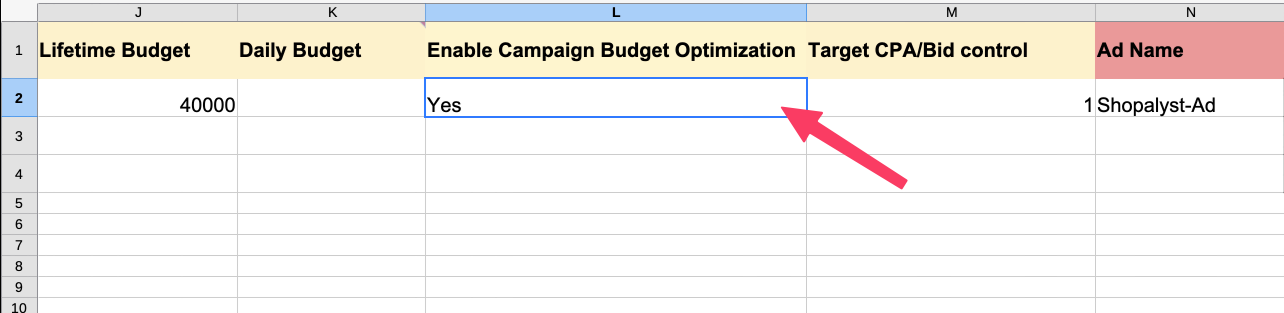
A new column is now available for enabling Campaign Budget Optimization (CBO) using a simple Yes / No selection.
- When CBO = Yes, the budget is set at the TikTok campaign level, instead of the ad group level.
- When CBO = No, budgets continue to be controlled at the ad group level as before.
Optimization Goal
An optional Optimization Goal column has been added with support for the following values:
- Click
- Landing page view
- Engaged session
- Reach
- 6-second views
- 15-second views
- Follow
- TikTok Page visits
If no value is provided, the system will automatically select an appropriate default optimization goal based on the campaign objective.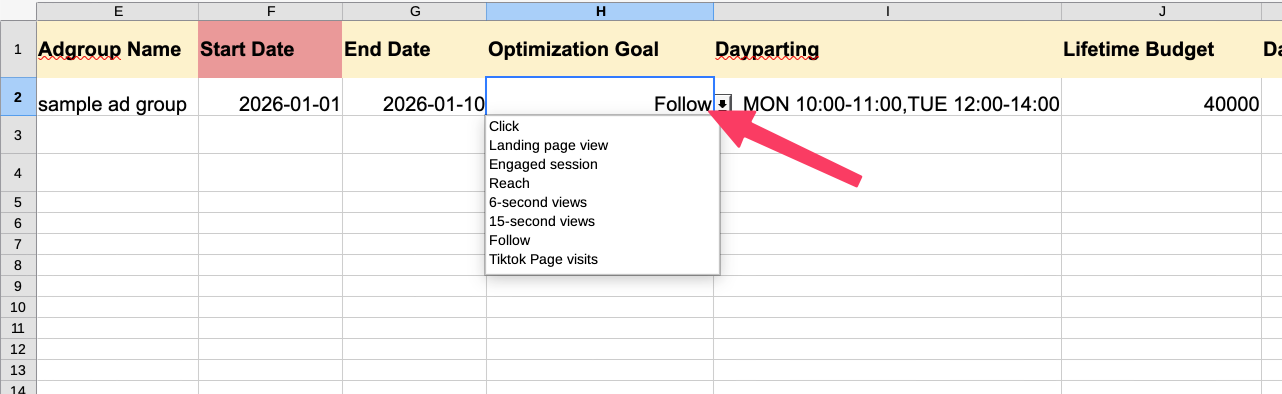
Target CPA / Bid Control
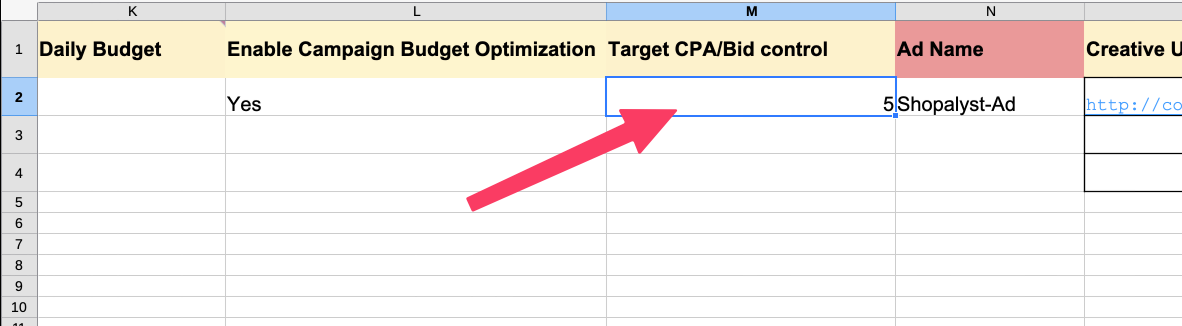
A new Target CPA/Bid Control column (numeric only, no currency symbols) allows users to optionally define a bid value.
Behavior
- If a value is provided → TikTok will use the specified Target CPA or bid control.
- If left empty → the system will enable automatic bidding where TikTok manages bids using its algorithm (recommended in most cases for best delivery and optimization).
Benefits
- Configure CBO directly from media plan upload without manual editing in TikTok Ads Manager
- More granular control over optimization intent based on campaign goals
- Flexibility to choose manual Target CPA when needed or rely on TikTok’s automated optimization
- Keeps the upload flow simple while providing advanced performance options
Getting Started
- Use the latest TikTok media plan upload sheet.
- Fill optional/required values in:
- Campaign Budget Optimization
- Optimization Goal
- Target CPA/Bid Control
- Proceed with the standard media plan upload and publish process as usual.
For more details on the columns required for these features and guidance on how to fill them, please refer the Instructions worksheet in the media plan input sheet.
Click here to know more about TikTok campaign setup.