
Overview
We have extended rule-based optimisation support to Meta campaigns, enabling users to define optimisation rules, evaluate performance, and apply changes directly to active campaigns running on Meta.
What’s New
- Configure rule definitions for Meta campaigns using supported facts and outcomes
- Run optimisation rules against active Meta campaigns
- Generate optimisation outcomes based on rule evaluation
- Push optimisation outcomes directly to Meta once results are generated:
- Apply updates per campaign, or
- Push updates for all campaigns in bulk
Benefits
- Faster execution of optimisation decisions without manual updates in Meta Ads Manager
- Scalable optimisation across multiple campaigns
- Reduced operational effort and human error
- End-to-end optimisation workflow—from rule evaluation to execution
Getting Started
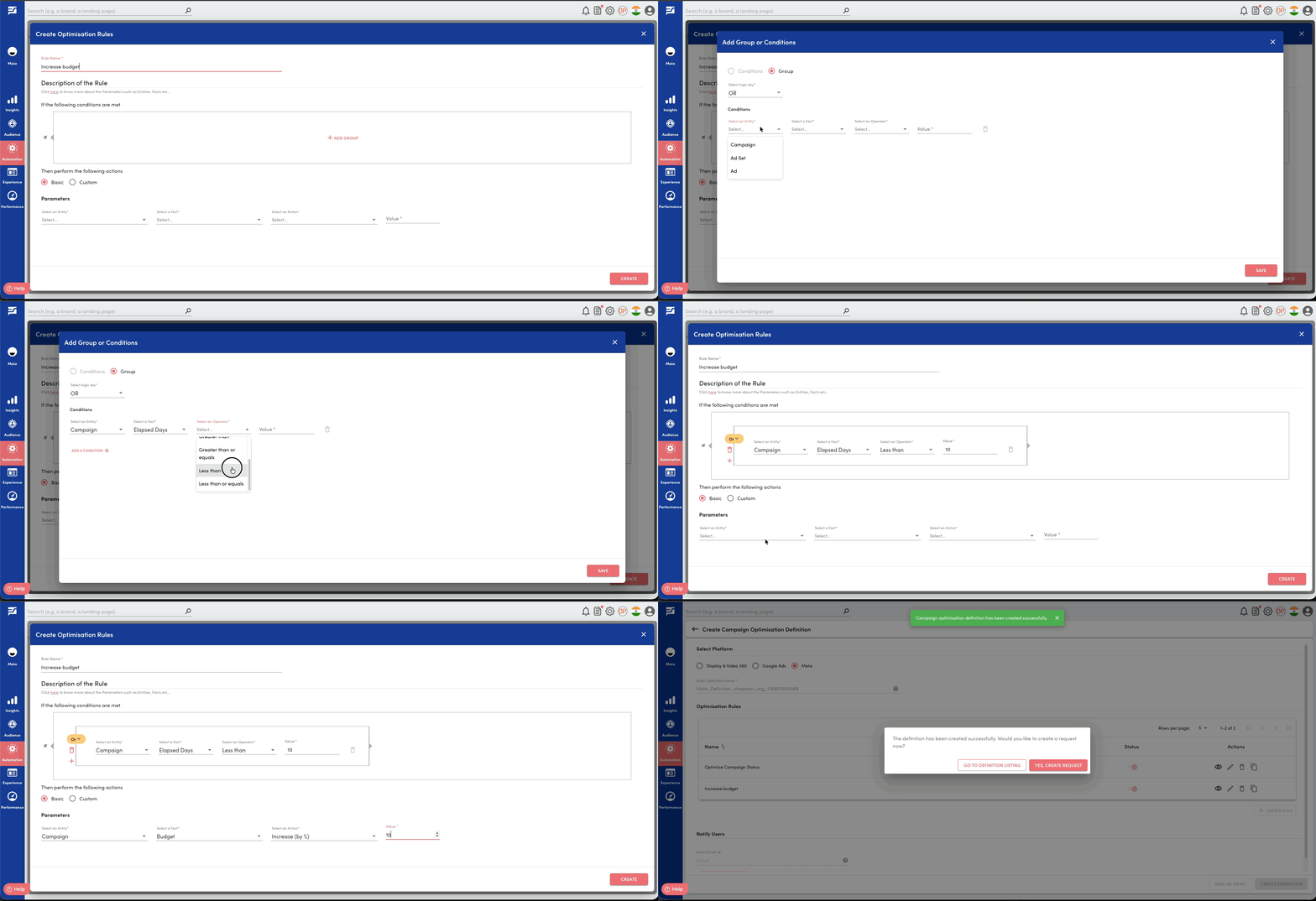
- Navigate to Automation -> Campaign Optimisation page.
- Create a new Rule Definition, select Meta as the platform and configure your rules for optimising the campaigns.
- Create new request with the new Rule Definition from the Actions dropdown.
- Once the optimisation request is completed successfully, navigate to Request History of the Rule Definition and click on Push Updates to Meta from the actions dropdown against your request.
- Review the list of suggested optimisation outcomes.
- Choose to Push Updates against individual campaign or Update Supported Campaigns across all campaigns.
- Receive confirmation as a notification once the updates are applied in Meta.
Know More
Learn more about how rule-based optimisation works in the following guides: