
Overview
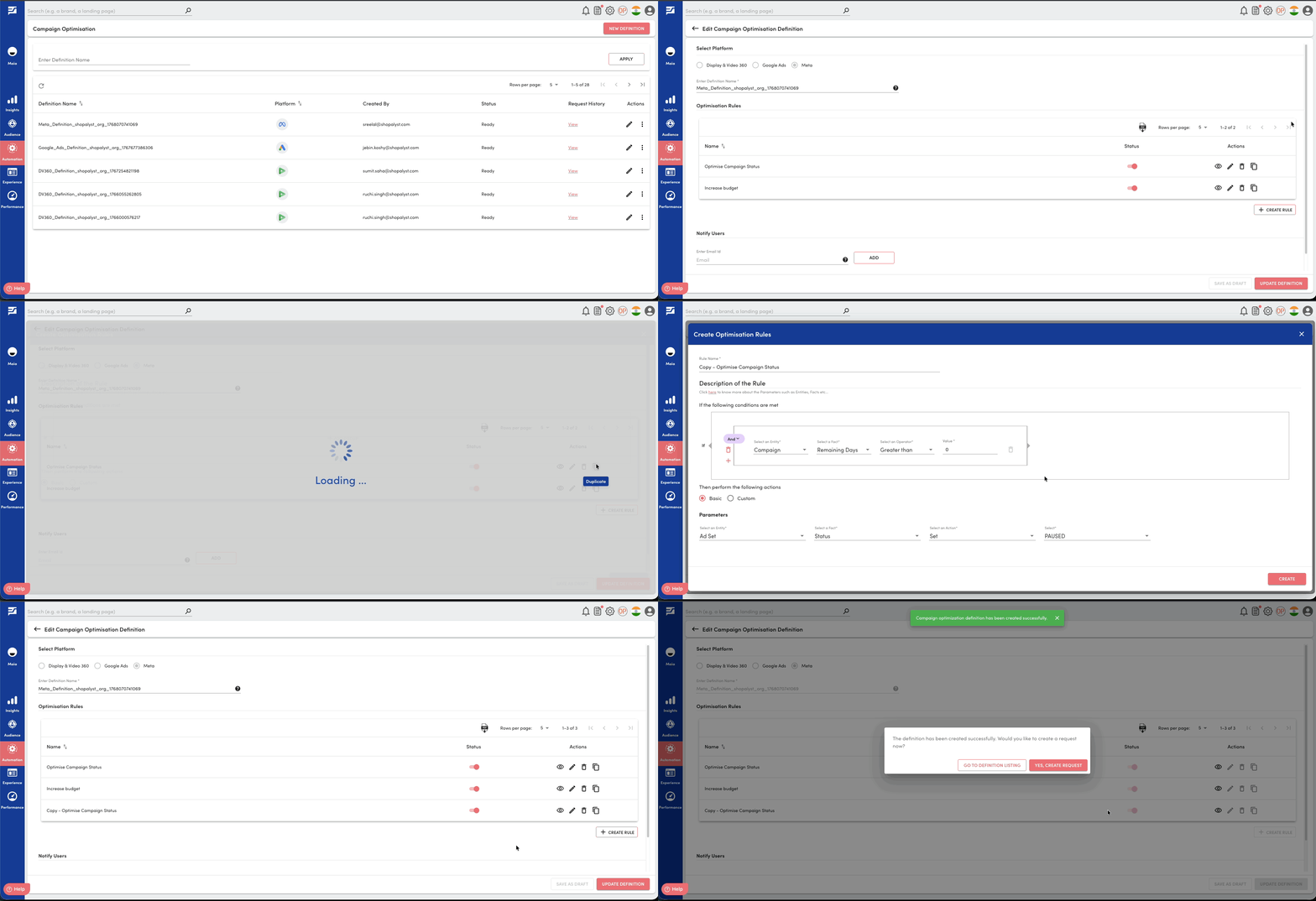
We have introduced a Duplicate Rule option on the rule definition create / update page, making it easier to reuse and modify existing optimisation rules.
What’s New
- A new Duplicate action is now available against each rule
- Users can create an exact copy of an existing rule
- The duplicated rule can be optionally modified before saving
Benefits
- Faster rule creation by reusing existing configurations
- Reduces repetitive setup for similar optimisation logic
- Simplifies experimentation with rule variations
Getting Started
- Navigate to the Rule Definition create / update page
- Locate the rule you want to reuse
- Click Duplicate under the Actions column
- Modify the copied rule if required and save
Learn more about how rule-based optimisation works in the following guides: