
Overview
We have released several updates to Google Campaign Manager 360 Automation features to simplify workflows and improve visibility between DV360 and CM360 campaign setups.
What’s New
Simplified CM360 Actions in Automation Inbox
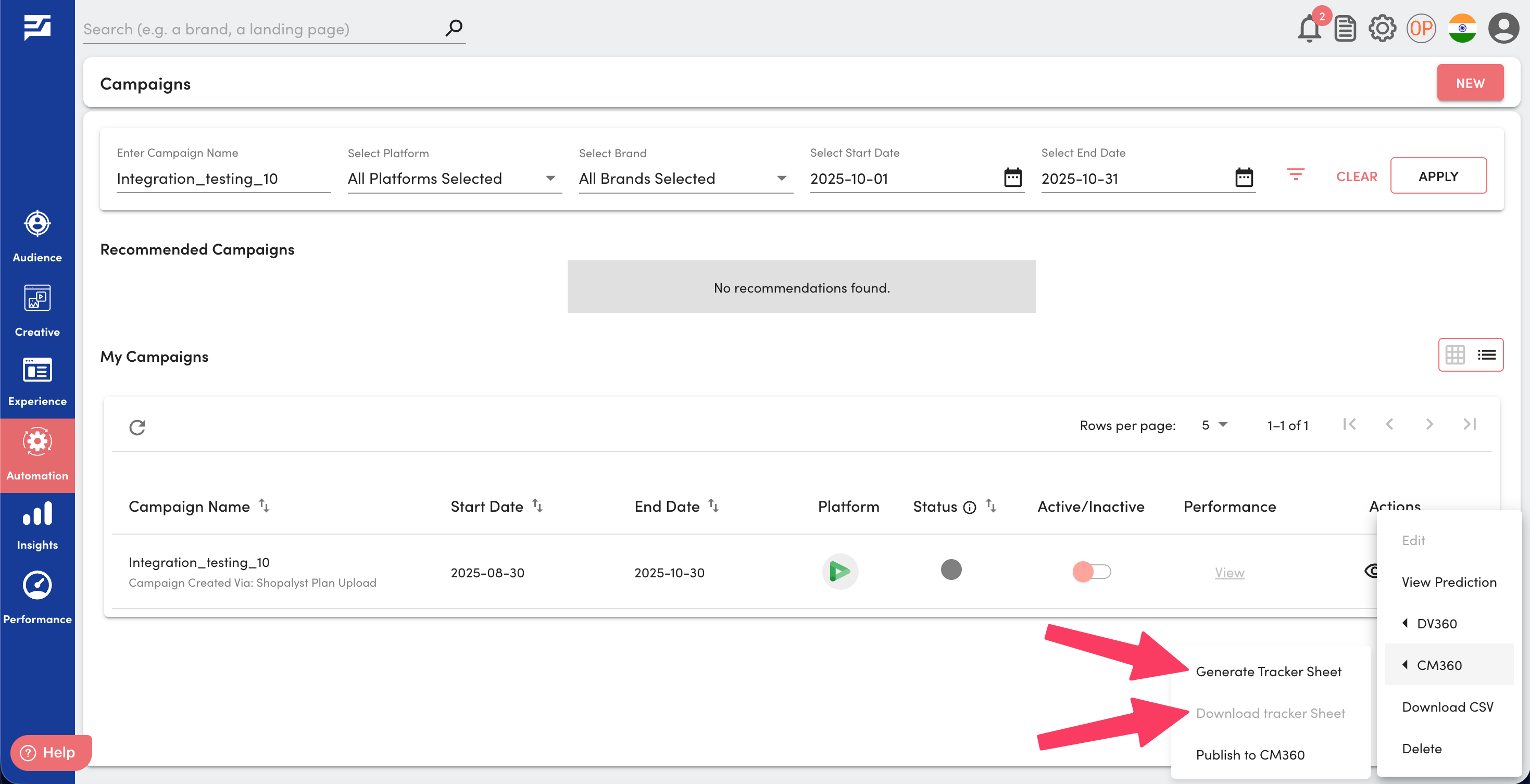
- Legacy options Generate DCM and Download DCM have been removed from the Actions dropdown on the automation inbox page.
- All CM360-related actions—including Publish to CM360, Generate Tracker Sheet, and Download Tracker Sheet are now grouped under a single parent menu called CM360, making the actions menu cleaner and easier to navigate.
View Linked CM360 Campaign Details from DV360
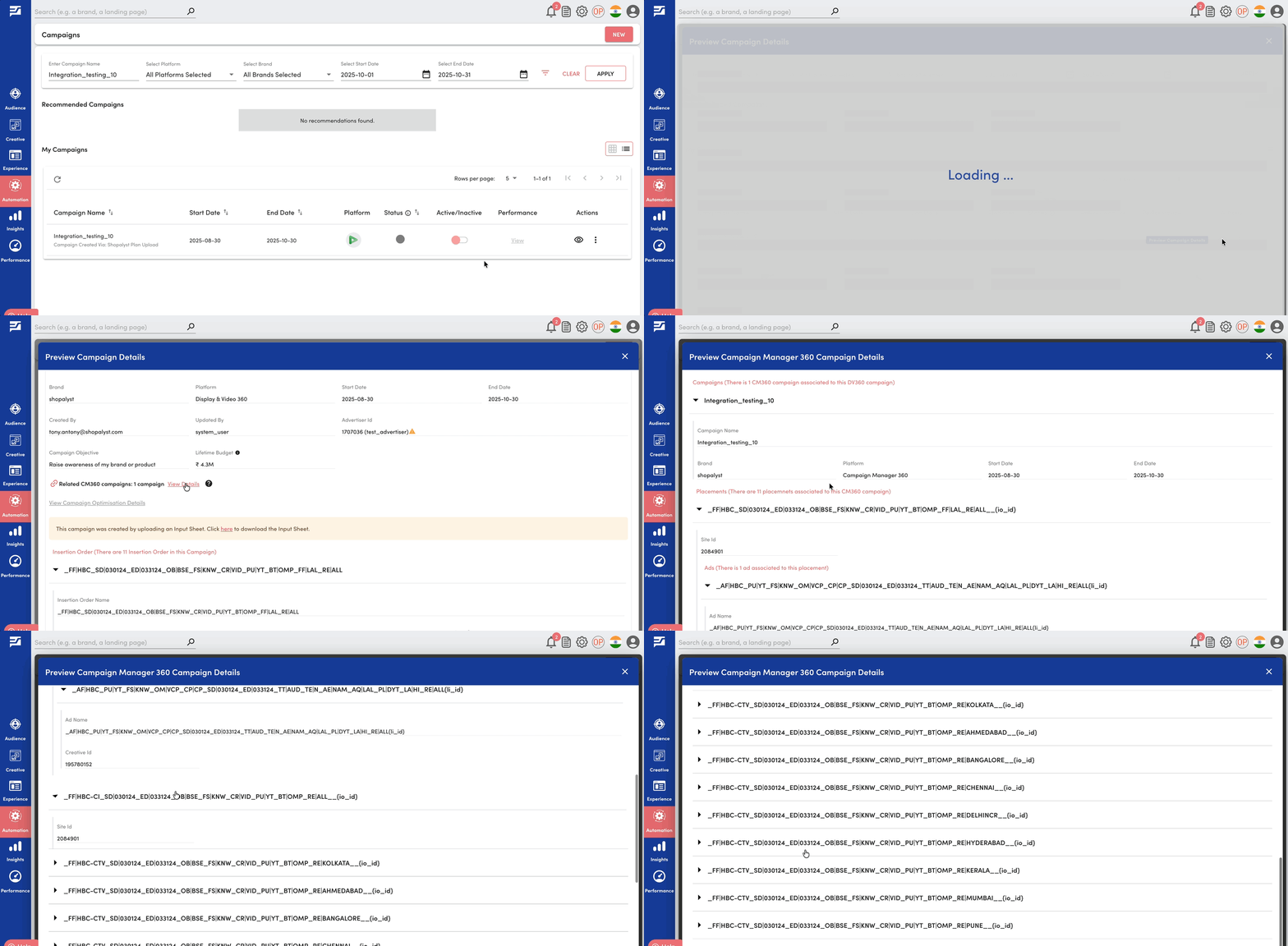
- A new option is now available on the campaign hierarchy preview page for DV360 campaigns, allowing users to view related CM360 campaign details directly and gain better visibility into associated tracking setups
For more details on CM360 campaign setup, please refer our guide: CM360 Campaign Creation via DV360 bulk upload