
Overview
We have added support for additional DV360 line item subtypes for campaigns created through media plan uploads, enabling more flexible video buying and format control directly from the input sheet.
Supported Line Item Subtypes
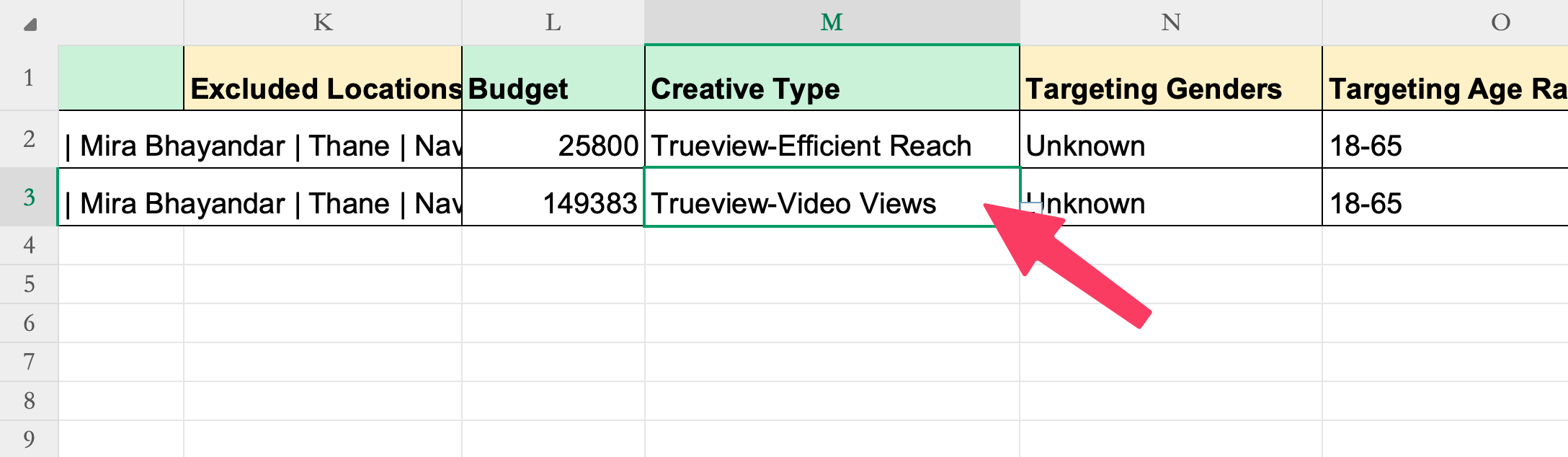
- Efficient Reach: To create an Efficient Reach line item, set the Creative Type column to: Trueview-Efficient Reach
- Video Views: To create a Video Views line item, set the Creative Type column to:
Trueview-Video Views
Ad Format Selection for Efficient Reach
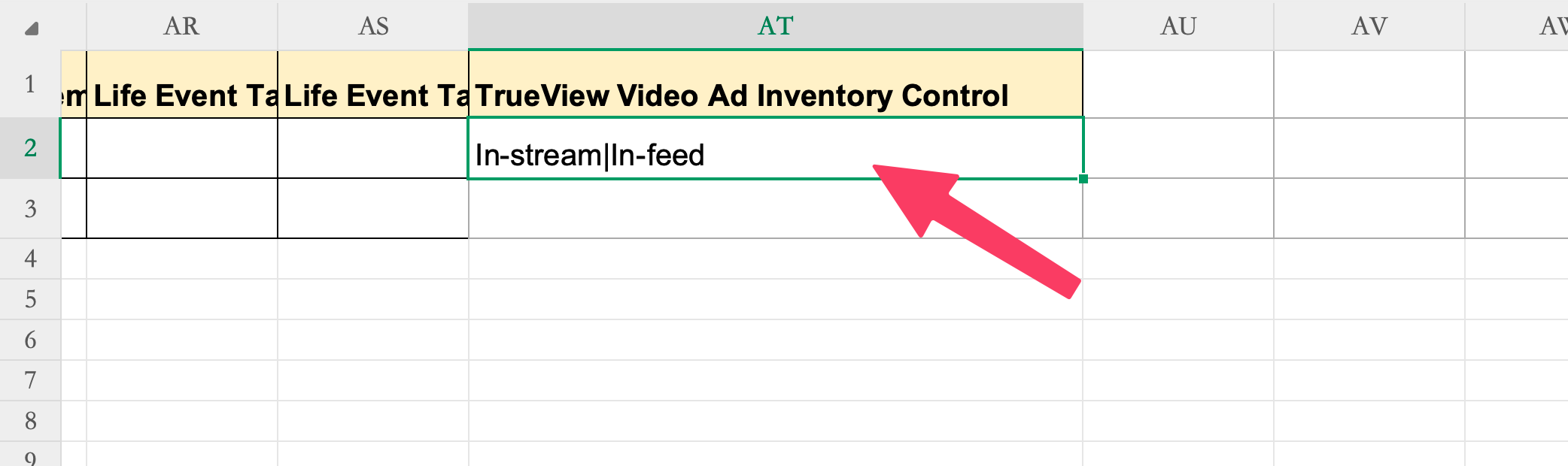
For Efficient Reach line items, users can now explicitly control the video ad formats to be used.
- Provide a list of required formats in the TrueView Video Ad Inventory Control column
- Supported values:
- In-stream
- In-feed
- Shorts
Getting Started
- Use the latest DV360 media plan upload template
- Set the appropriate value in the Creative Type column based on the desired line item subtype
- (Optional) For Efficient Reach, specify preferred ad formats in TrueView Video Ad Inventory Control
- Proceed with the standard upload and publish workflow
For more details on the on how to fill these columns, please refer the Instructions worksheet in the media plan input sheet.
To know more about DV360 media plan uploads, refer our guide DV360 campaign creation via bulk upload.