
Overview
We have introduced a new feature to provide visibility into the media platform metadata sync status, enabling users to monitor and manage metadata reloads directly from the Shopalyst Discovery Commerce Cloud application.
This enhancement improves transparency around platform data synchronisation and gives users more control over metadata refresh operations.
What’s New
- See the Next Scheduled Reload, Last Successful Reload timestamps and Last Reload Status on the Platform Settings page for various metadata types such as:
- Locations
- Interests
- Audiences
- Advertisers
- Other platform-specific metadata
- View the Current Status of each metadata type which can be:
- Idle
- Running
- Ability to select and trigger reloads for multiple metadata types as needed
- Reloads are triggered at the platform integration level and also applies to the connected ad accounts under that configuration
Benefits
- Greater transparency into platform metadata health and sync cycles
- Faster troubleshooting when targeting data appears outdated
- Reduced dependency on manual support requests
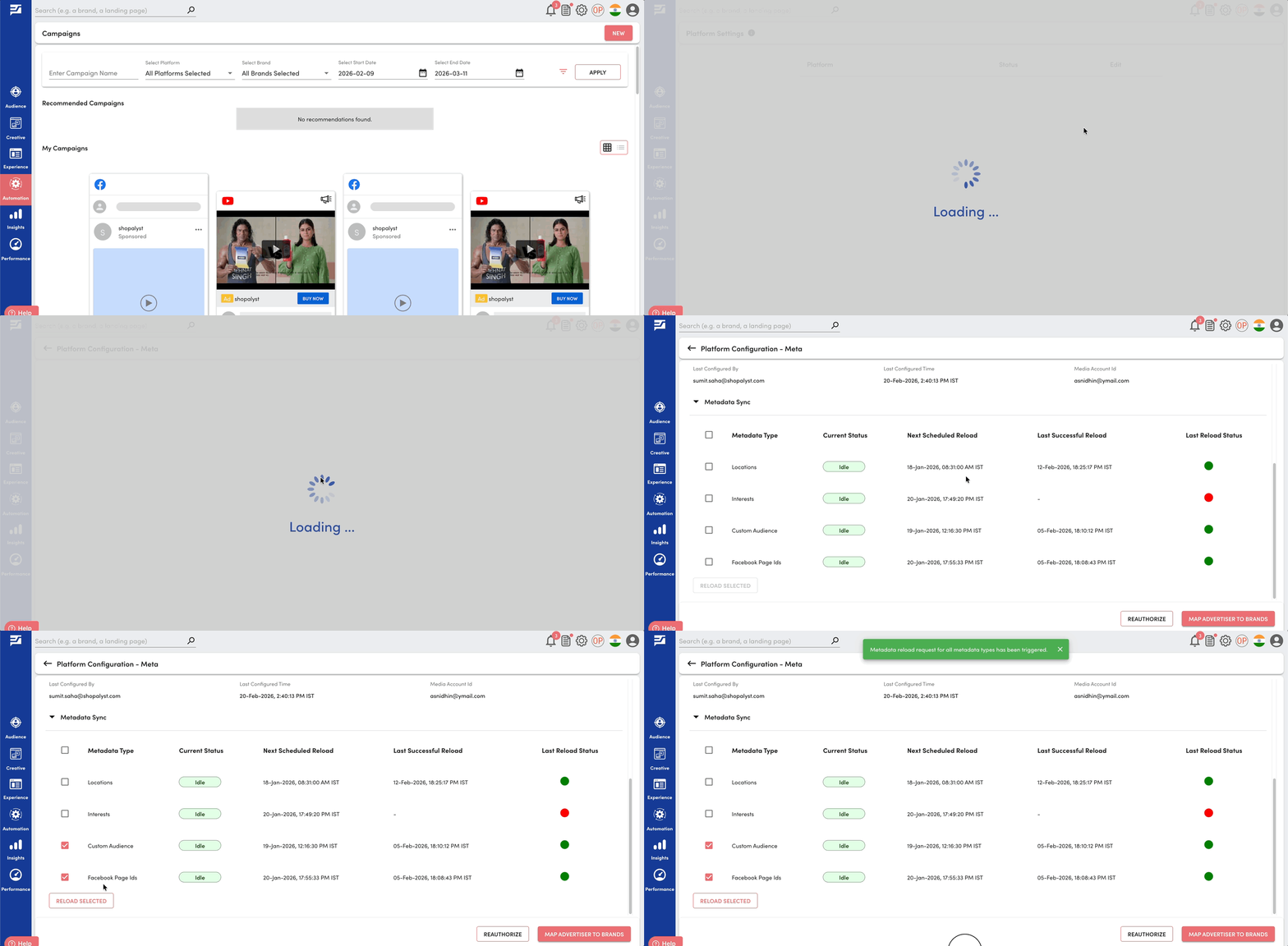
Getting Started
- Navigate to Platform Settings
- Click Edit against your intended platform
- Locate the Metadata Sync section
- Select one or more metadata types from the list and click Reload Selected to trigger a manual reload if required
Recommended Usage
- Trigger a manual reload when newly created audiences, locations, or interests are not visible in the application
- Use the status indicators to diagnose delays in metadata availability
- Refer to the Last Reload Status to quickly identify failed sync attempts before retrying
- Allow scheduled reloads to handle routine updates unless urgent refresh is required
To know more about connecting your Ad platform accounts with Shopalyst Advertising Automation, click here.