
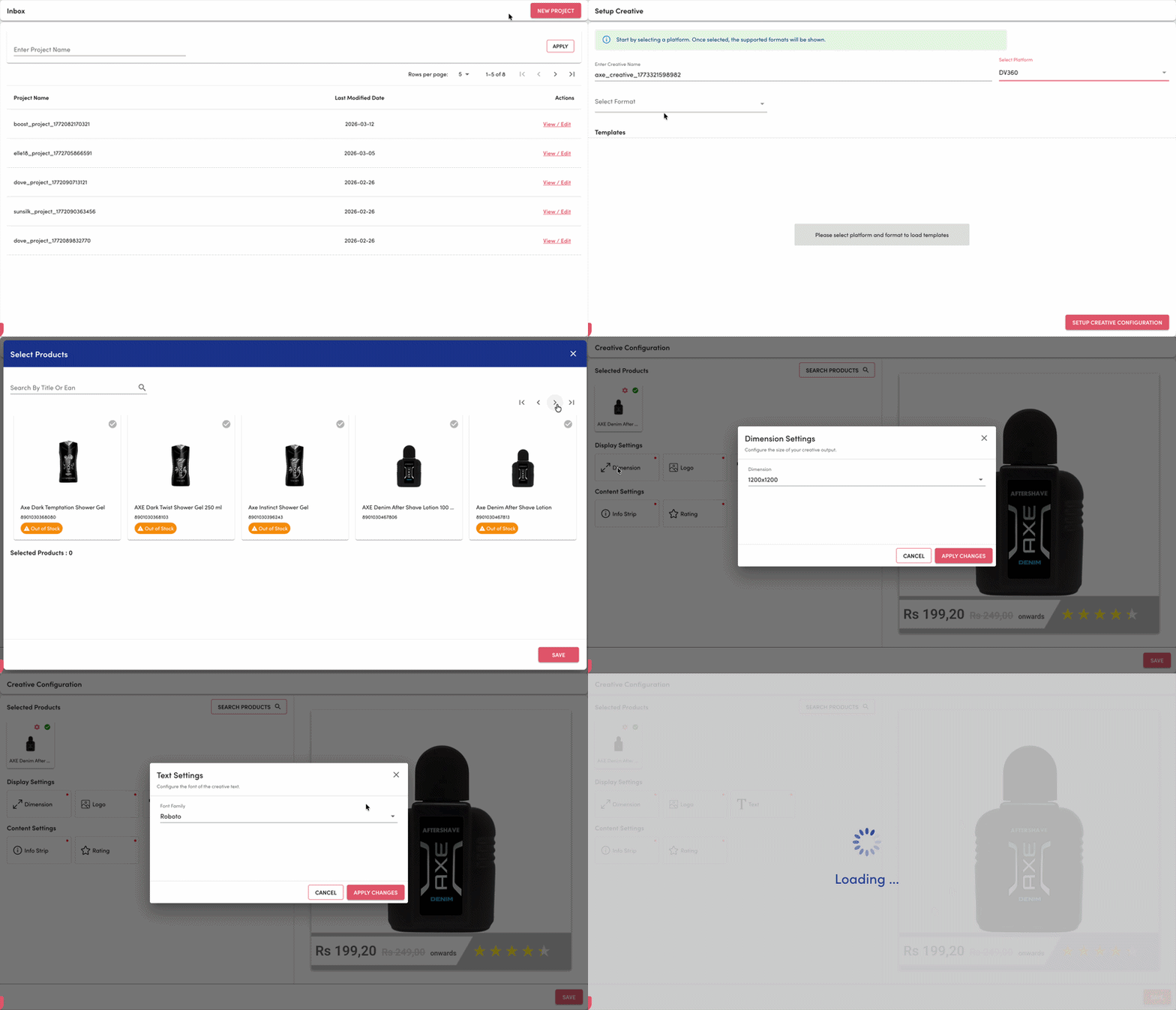
We have revamped the Creative Configuration screen to deliver a more structured, intuitive, and scalable configuration experience. The previous form-heavy layout has now been redesigned into a modular, card-based configuration flow, making it easier to manage creative settings and navigate between different configuration sections.
This redesign improves usability, enhances clarity of required inputs, and provides a more guided experience when setting up creatives.
Key Updates
1. Structured Creative Configuration Layout
The earlier configuration experience presented all settings within a single vertical form, including product selection, dimensions, logo configuration, text styling, info strip, and rating settings.
The new experience organizes configuration into distinct sections with clearly defined cards, improving discoverability and reducing cognitive overload.
Key sections now include:
Display Settings
Content Settings
Media Settings
This structure allows users to easily locate and manage specific configuration areas without navigating through long forms.
2. Card-Based Configuration Modules
Configuration options are now grouped into interactive cards, each representing a specific configuration category.
Examples include:
Display Settings
Dimension
Logo
Text
Content Settings
Cover Image
Merchants
Media Settings
Audio
Each card acts as an entry point to configure that specific element, making the setup process more modular and easier to navigate.
3. Clear Required Field Indicators
Required configuration sections are now clearly marked with visual indicators, helping users quickly identify which sections must be completed before saving the creative.
This reduces errors and improves completion rates when configuring creatives.
Key Benefits
1. Improved usability with a modular, card-based configuration layout.
2. Better visibility of selected products through image-based product cards.
3. Reduced complexity by grouping related configuration settings into logical sections.
4. Clearer guidance with required field indicators across configuration modules.
5. Faster creative setup through an intuitive and streamlined configuration flow.