
Overview
We have introduced support for updating published Meta campaigns through Shopalyst media plan uploads, allowing users to add new ads and creatives to existing campaigns.
This enhancement enables advertisers to extend active campaigns published via Shopalyst with additional creative variations without recreating or duplicating the entire campaign setup.
Getting Started
- Use the latest Meta media plan upload template
- Add rows corresponding to the new ads or creatives you want to create
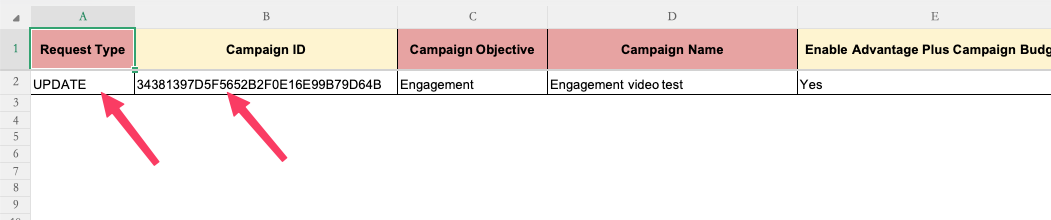
- Set the Request Type column value to UPDATE for these rows and specify the Shopalyst Campaign ID in the column Campaign ID
- In the Shopalyst Saved Audience column, provide the exact name of the parent ad set under which the new ads or creatives should be created
- Populate the required ad and creative details in the corresponding columns
- Upload the file and proceed with the standard campaign publish workflow
Important Notes
- This feature supports adding new ads or creatives only
- Existing ads or creatives cannot be modified through this update workflow
- Ensure the parent ad set name matches exactly with the ad set already present in the campaign to avoid validation errors
To know more about media plan uploads, refer our guide Bulk Upload - Campaign Creation