
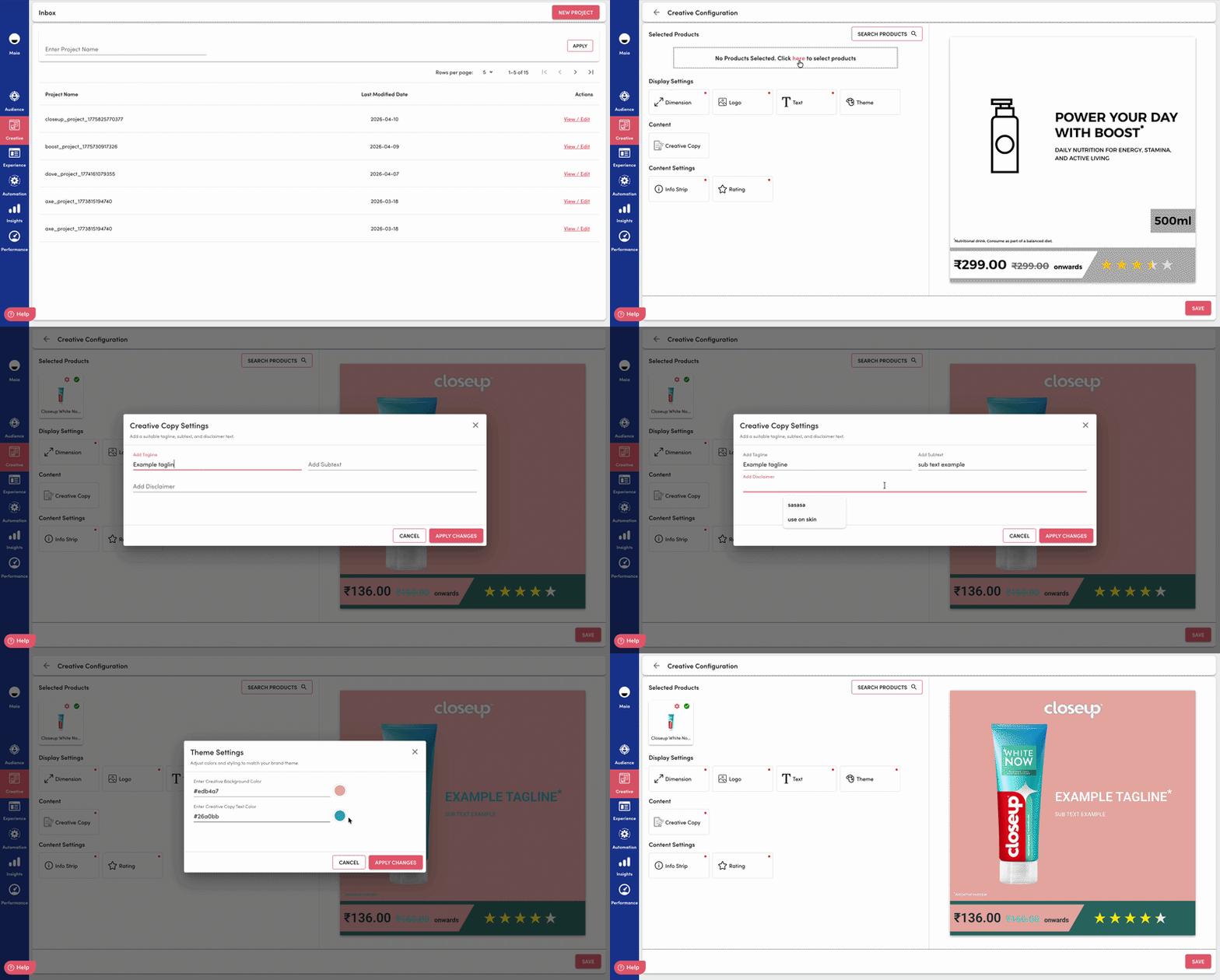
We’ve introduced enhanced text support within Creative Studio, enabling users to seamlessly add and manage taglines, subtext, and disclaimers within creatives. This update improves content flexibility while ensuring compliance and clarity across formats.
Key Updates
1. Structured Text Fields
Creatives now support dedicated input fields for:
- Tagline (primary message)
- Subtext (supporting context)
- Disclaimer (compliance or additional information)
This ensures clear content hierarchy and consistent formatting across creatives.
2. Template-Aware Text Rendering
Templates now define how each text component is rendered:
- Font size, spacing, and placement adapt automatically
- Prevents overlap with product imagery or key visual elements
- Maintains design consistency across platforms
Key Benefits
- Ensures consistent messaging with structured text hierarchy
- Reduces manual design adjustments for text placement
- Improves compliance with built-in disclaimer support
- Enhances creative clarity and readability across formats
- Speeds up creative production and iteration cycles