
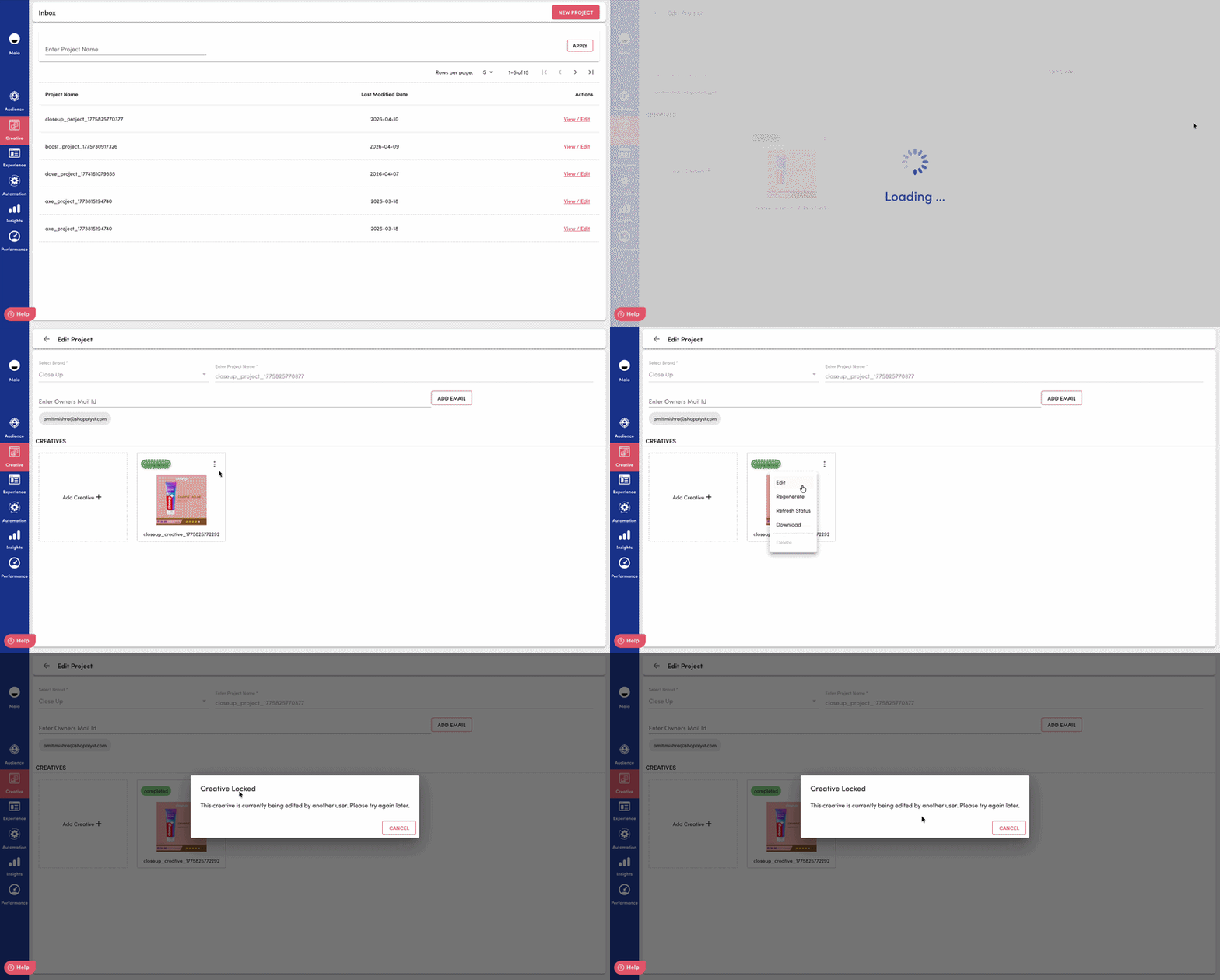
We’ve introduced Creative Locking in Creative Studio to prevent conflicting edits on the same creative. When a user opens a creative for editing, the system can reserve that creative for their session so others cannot save changes until the lock is released or expires—improving data integrity and reducing accidental overwrites in a multi-user environment.
Key Updates
Exclusive edit protection Only one active lock holder can proceed with edit flows on a given creative at a time. Concurrent attempts are rejected with clear conflict responses so users know the creative is already being edited.
Explicit lock lifecycle
Clients can acquire, release, and query lock status via dedicated APIs. This keeps ownership visible and makes it straightforward to integrate with the Super App’s editor and navigation flows.Session-aware behavior
Locks are tied to user and session identifiers. The system distinguishes same user / same session from same user / different session, so product teams can surface appropriate warnings when someone has the creative open elsewhere.Time-bounded locks
Locks respect a 24-hour soft expiry in application logic, with support for hard cleanup of stale rows in the database. Stale locks do not block legitimate work indefinitely.Server-side enforcement
Critical creative endpoints are guarded so read-modify and save paths validate lock state before proceeding—reducing the risk of race conditions and duplicate submissions at the API layer.
Key Benefits
- Fewer merge conflicts and lost edits by serializing who can edit a creative at a given time.
- Clearer collaboration through explicit lock status and conflict responses instead of silent last-write-wins behavior.
- Better operational safety with backend enforcement, not only client-side assumptions.
- Predictable recovery when sessions end or locks age out, so teams are not permanently blocked by abandoned tabs.
- Scalable pattern for future Creative Studio features that need safe concurrent access without real-time collaboration infrastructure.