
Overview
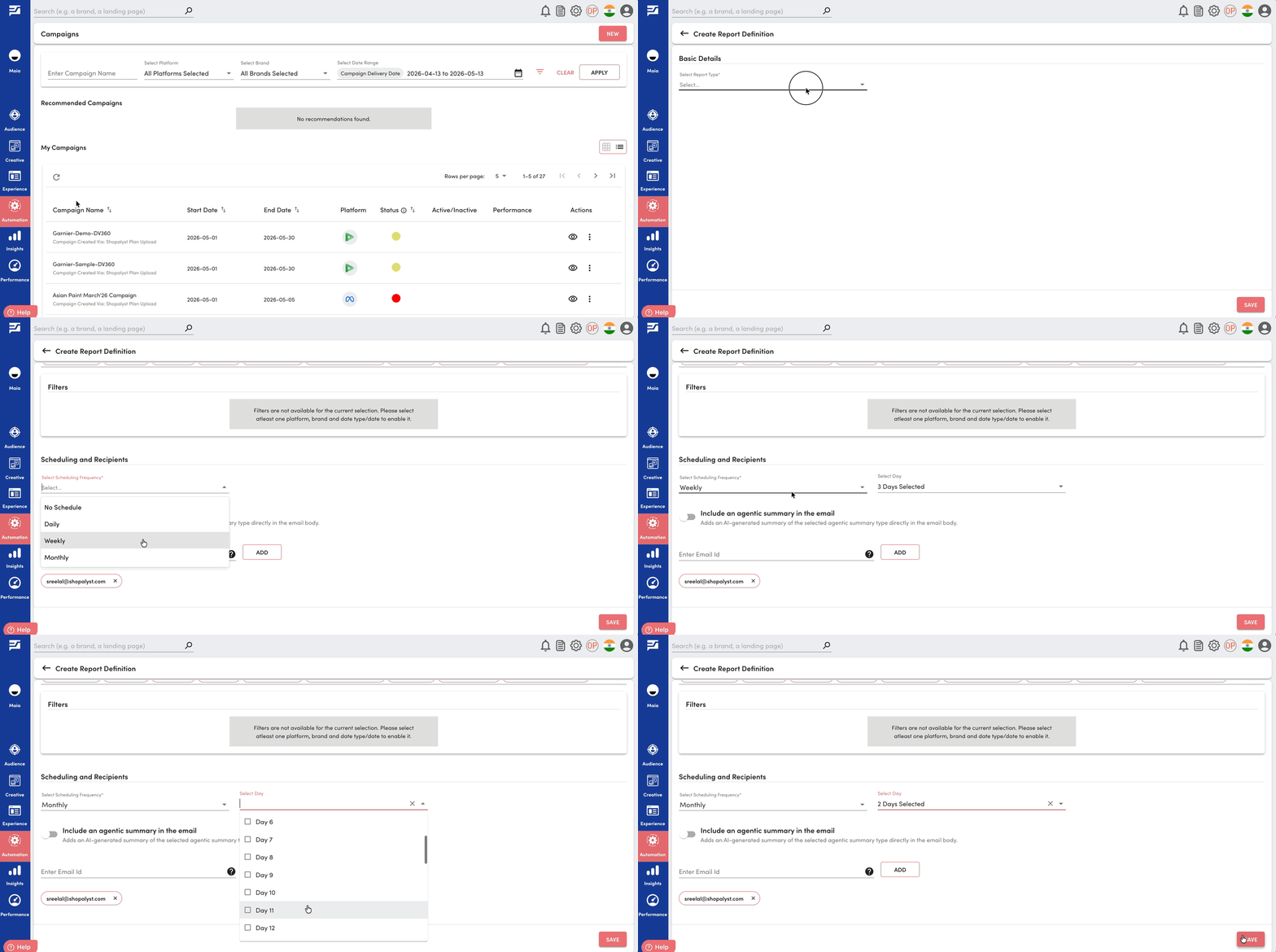
We have introduced an enhancement to the report definition creation experience, allowing users to schedule reports on multiple days within a week or month.
This provides greater flexibility in report delivery and better aligns reporting with business needs.
What’s New
- Multiple Day Selection for Scheduling: When selecting Weekly or Monthly scheduling frequency, users can now choose multiple days instead of being limited to a single day.
- Enhanced Scheduling Control: Users can configure report delivery across multiple time points within the same schedule, improving reporting coverage and frequency.
Benefits
- Greater flexibility in scheduling reports
- Reduced need to create multiple report definitions for different days
Getting Started
- Navigate to the Report Definition creation page
- Follow the standard process to create a report
- Select Weekly or Monthly as the scheduling frequency
- Expand the Day selection dropdown
- Choose one or more days as required
- Save the report definition
To know more about reports on Shopalyst Advertising Automation, click here.