
We’ve introduced a new Bulk Creative Workflow in Creative Studio, enabling teams to create and manage creatives at scale using structured templates. This update simplifies large-scale creative production across multiple formats while improving consistency, validation, and workflow efficiency.
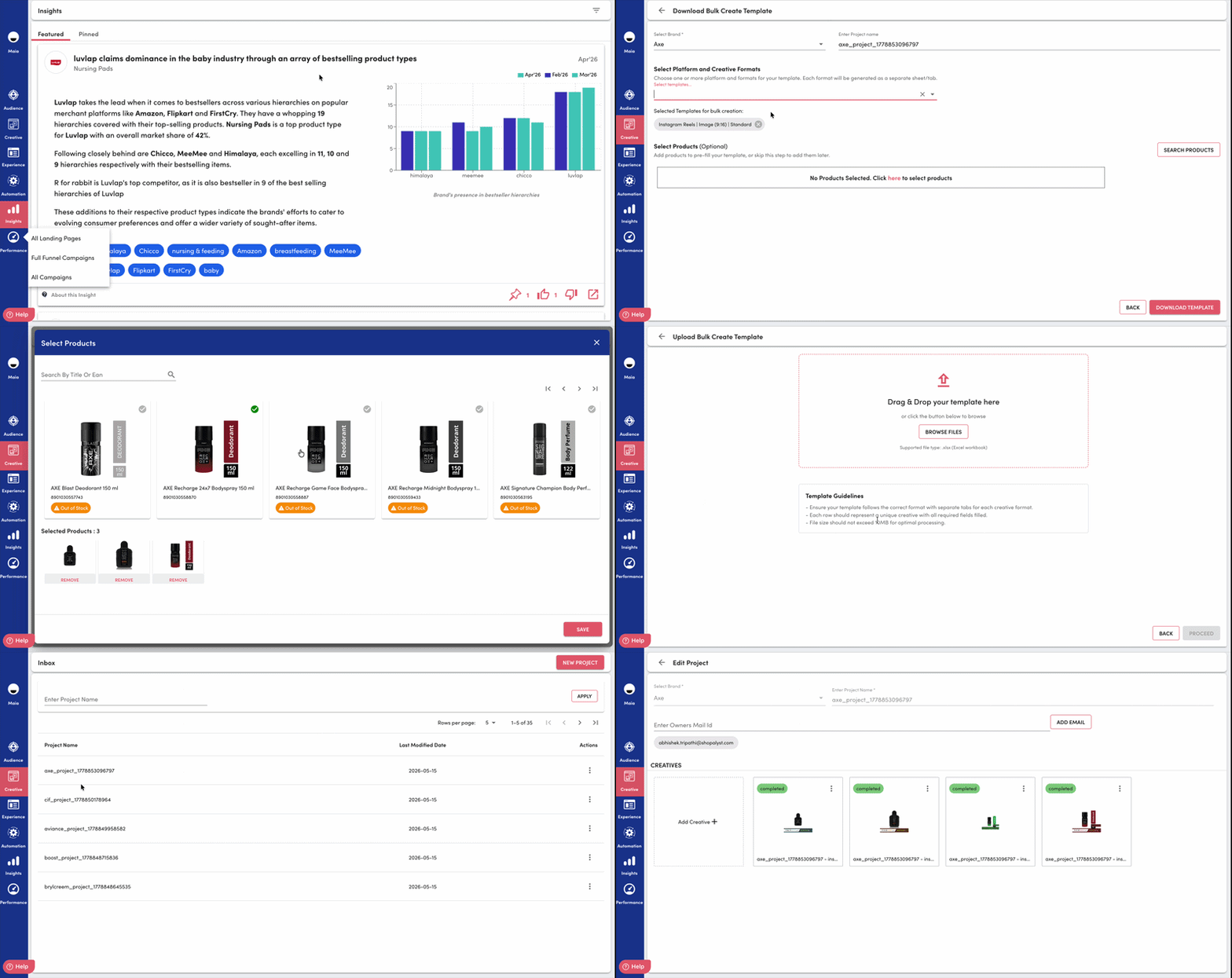
Key Updates
1. Template-Based Bulk Creation
Users can now:
Download structured creative templates
Upload completed sheets to generate creatives in bulk
Manage multiple formats within a single workflow
Each row in the template represents an individual creative, making it easier to customize messaging, pricing, offers, and product information at scale.
2. Multi-Format Creative Support
The workflow now supports organized bulk creation across different platforms and aspect ratios, helping teams generate creatives consistently for multiple destinations in a single process
3. Easier Project Re-Entry
Previously generated bulk projects can now be downloaded and reused, making it easier to revisit project, add formats, or continue creative production without rebuilding workflows from scratch.
4. Updated Bulk Workflow Experience
The Creative Studio interface now includes:
Dedicated bulk create entry points
Separate upload and download flows
Improved bulk project actions within the inbox experience
This creates a more streamlined workflow for managing large-scale creative operations.
Key Benefits
Speeds up large-scale creative production
Reduces repetitive manual setup work
Simplifies bulk editing and project iteration
Enhances upload reliability with clearer validation feedback
Makes multi-format project management more efficient