
Overview
We now support Pushing your Shopalyst Optimisation Outcomes for DV360 campaigns directly to the DV platform enabling greater control for optimising campaigns from Shopalyst dashboard.
Previously, optimisation outcomes for DV360 were available only through generated SDF files, requiring users to manually upload the SDF to apply the recommended changes. With the introduction of direct SDF upload to DV360, users can now publish optimisation outcomes seamlessly without leaving the platform.
What's New
- Direct Publish to DV360
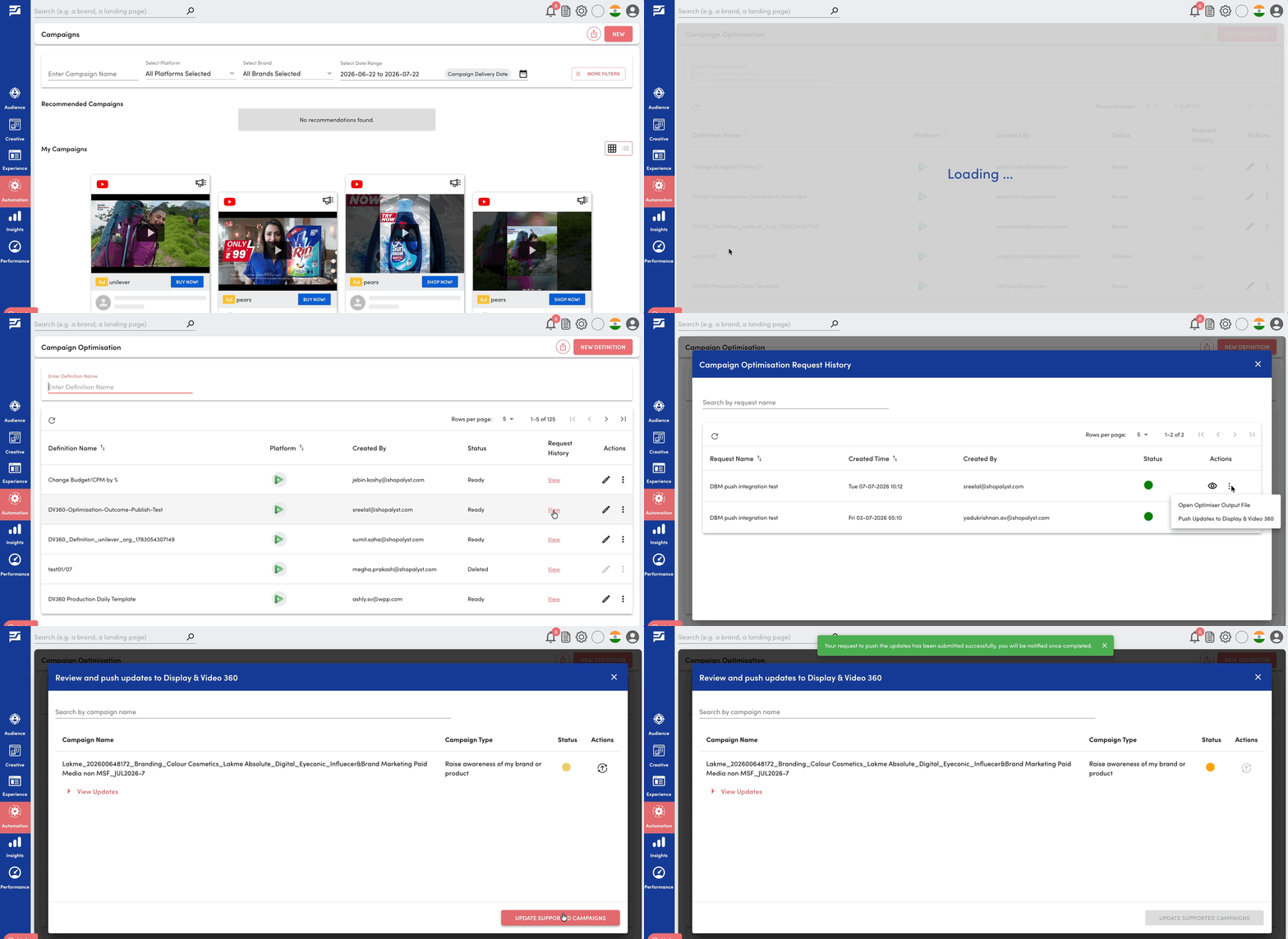
Optimisation outcomes can now be pushed directly to DV360 from the optimisation request page.
- Outcome Review Page
Clicking Push Updates to DV360 opens a review page showing optimisation outcomes grouped by campaign, allowing users to review all suggested changes before publishing.
- Flexible Publishing Options
Users can choose to:
- Publish optimisation updates for an individual campaign
- Publish updates for all campaigns in a single action
Benefits
- Eliminates the need to manually download and upload optimisation SDFs
- Significantly speeds up the optimisation execution workflow
- Provides complete visibility into proposed changes before publishing
- Supports both campaign-level and bulk publishing for greater flexibility
- Enables a seamless end-to-end optimisation workflow within Shopalyst
Getting Started
- Run an optimisation request and wait for it to complete successfully.
- Click Push Updates to Display & Video 360 from the Actions menu.
- Review the optimisation outcomes grouped by campaign on the review page.
- Choose to publish updates for individual campaigns or all campaigns.
- Monitor the publish status and review any errors if required.
Know More
Learn more about how rule-based optimisation works in the following guides: