
Overview
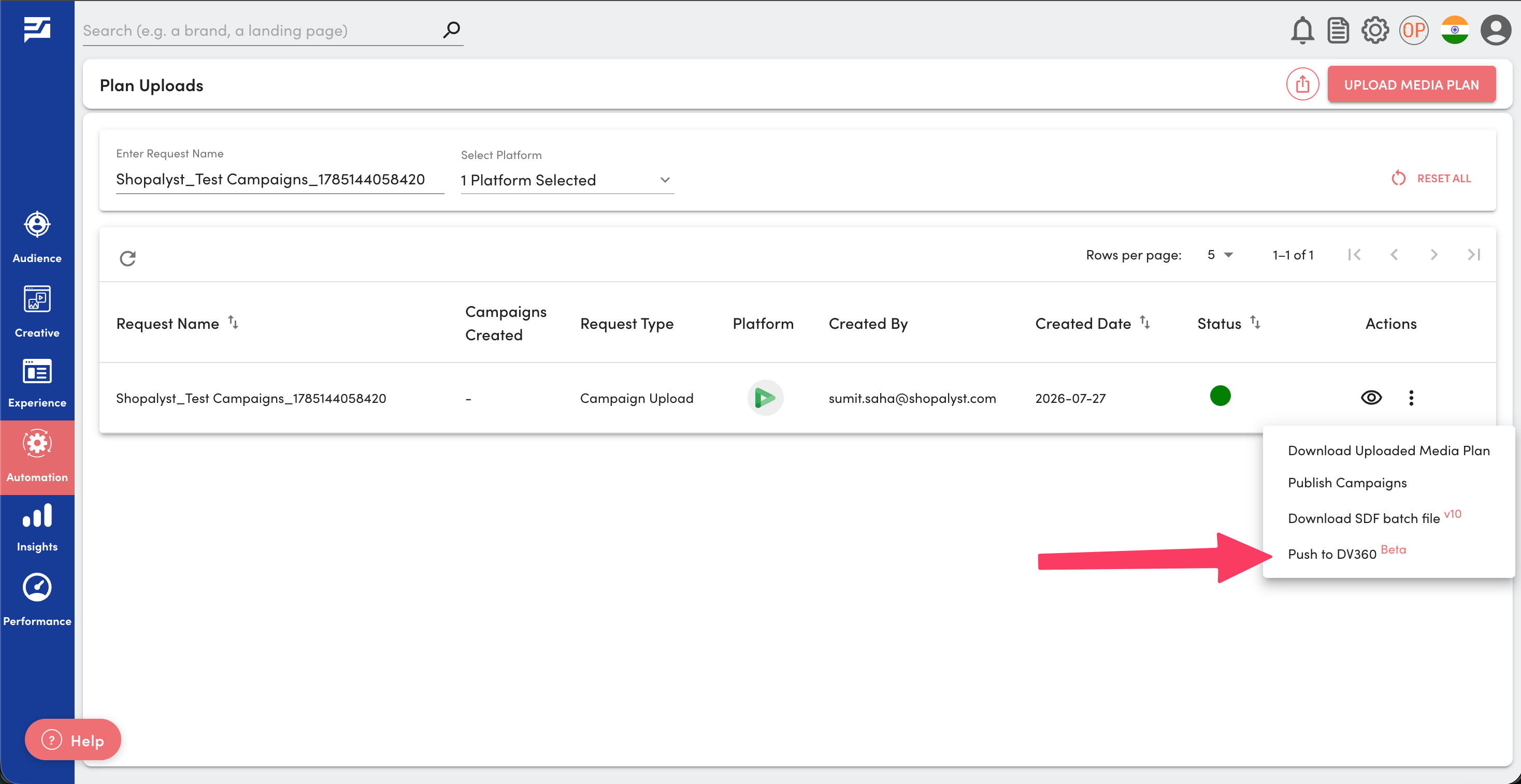
We have introduced bulk SDF publish support for DV360 campaigns from the Media Plan Uploads page, enabling users to push multiple campaigns under the same advertiser to DV360 in a single action.
This enhancement streamlines the DV360 publishing workflow and helps users make more efficient use of DV360's SDF Upload pilot limits.
What's New
- Bulk Push to DV360
Users can now publish multiple DV360 campaigns belonging to the same advertiser using a single Push to DV360 action from the Media Plan Uploads page. - Combined SDF Upload
Instead of publishing campaigns individually, the platform generates a combined SDF and uploads it directly to DV360 in one operation. - Real-Time Status & Error Reporting
During the publish process, users receive real-time notifications of the upload completion status. If any campaign fails, detailed error information can be viewed from the campaign status icon on the Inbox page.
Benefits
- Publish multiple DV360 campaigns with a single action
- Make more efficient use of DV360's SDF Upload limits by combining campaigns into a single upload
- Reduce manual effort and accelerate campaign deployment
- Receive immediate feedback on publish status and failures for quicker issue resolution
Important Notes
- Bulk publishing is supported only for campaigns belonging to the same DV360 advertiser.
- This feature helps mitigate DV360's current SDF Upload pilot restriction of 30 SDF uploads per advertiser per day, which typically translates to up to 6 campaign uploads per advertiser per day when campaigns are uploaded individually.
Getting Started
- Upload a media plan containing one or more DV360 campaigns for the same advertiser.
- Complete the standard Publish process from the Media Plan Uploads page.
- Once publishing is successful, click Push to DV360 from the Media Plan Uploads page.
- If any campaign fails to publish, review the detailed error from the campaign status icon on the Inbox page.
Know More
To know more about DV360 bulk campaign creation and SDF publish, refer the following guides: