
Overview
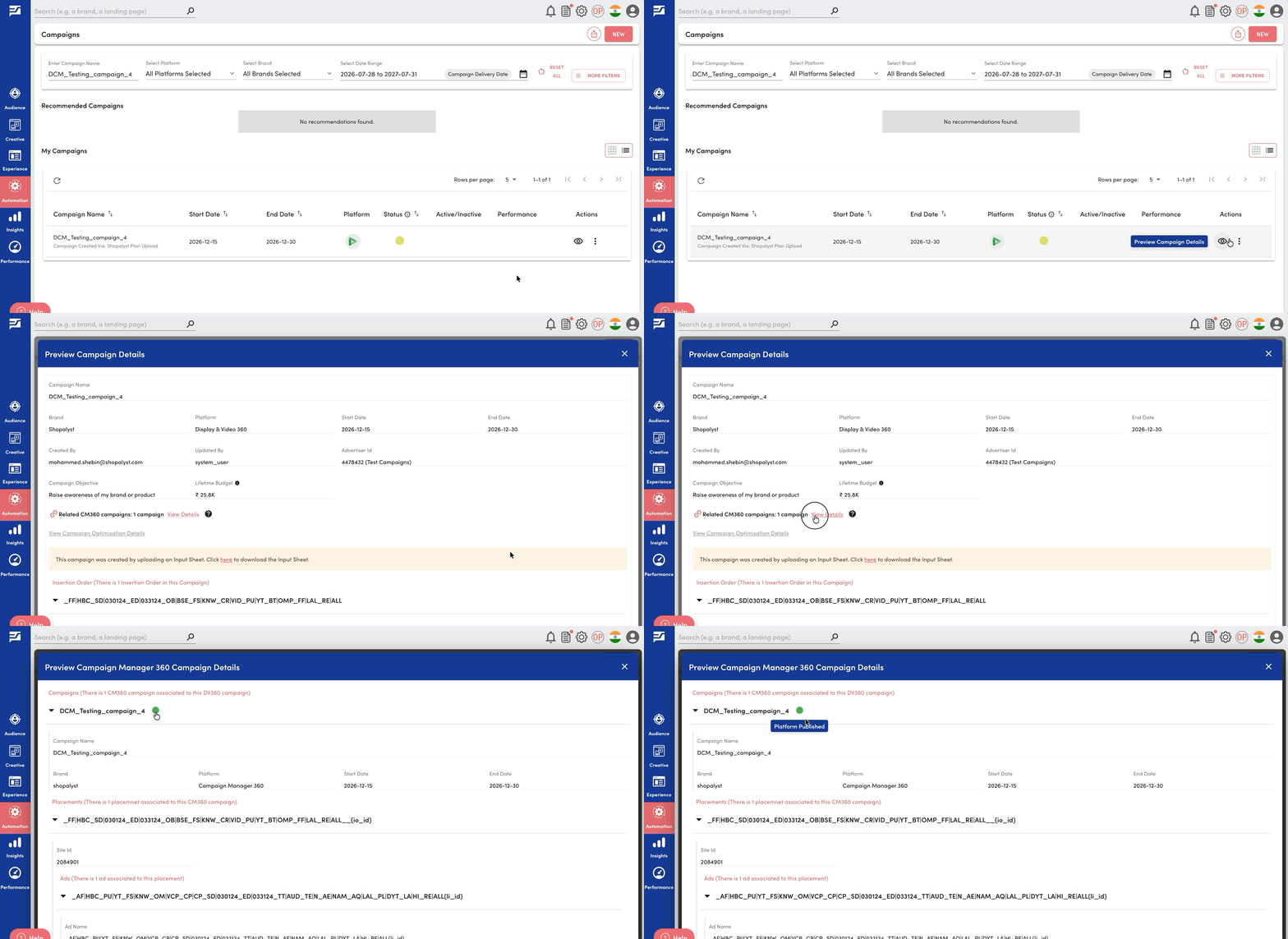
For your CM360 campaigns, we have introduced a new status indicator on the campaign details section, giving clear visibility into the current status and progress of publishing a campaign from Shopalyst Automation to CM360.
What’s New
A colour-coded status icon now indicates the current state of the campaign:
- Yellow — Campaign created in Shopalyst Automation but not yet published to CM360
- Orange — Campaign publishing to CM360 is in progress
- Red — Campaign publishing to CM360 failed
- Green — Campaign published to CM360 successfully
Getting Started
- Navigate to the Campaign Preview page.
- Open Related CM360 Campaign Details.
- Check the status icon to view the current CM360 publishing status of the campaign
Click here to know more about CM360 campaign tracker creation via DV360 bulk upload.