
Advertiser Mapping allows you to associate an advertiser account with the corresponding brand in Ads Builder. This ensures that the correct advertiser account is used when managing campaigns and performing platform-related actions.
After connecting your platform to the Ads Builder dashboard, follow these steps to map an advertiser to a brand:
1. Log in to Ads Builder.
2. Click Settings in the top-right corner.
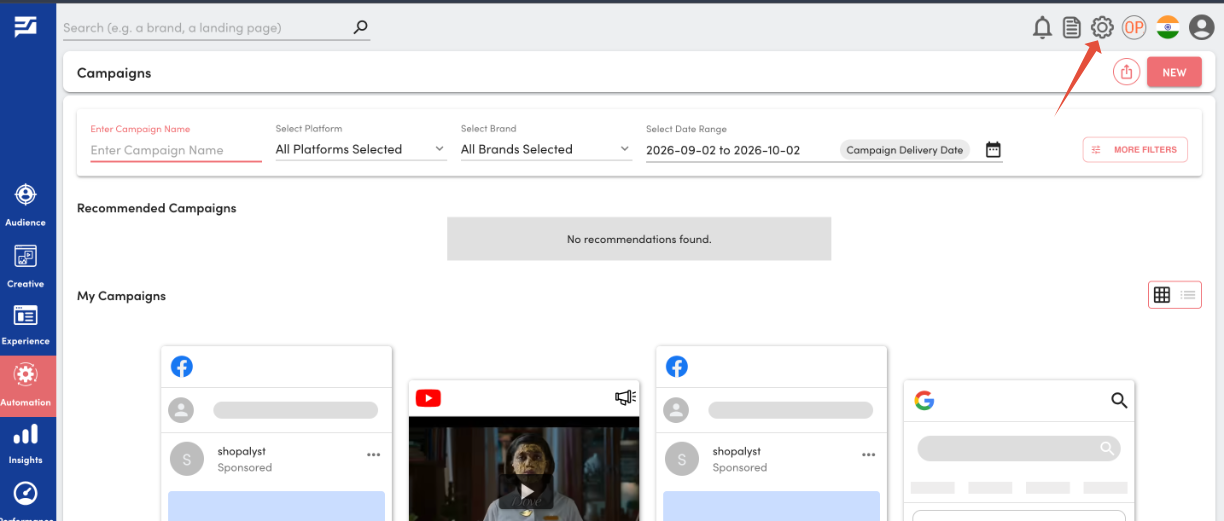
3. Click the Edit icon corresponding to your platform.
4. Click Map Advertiser to Brand.
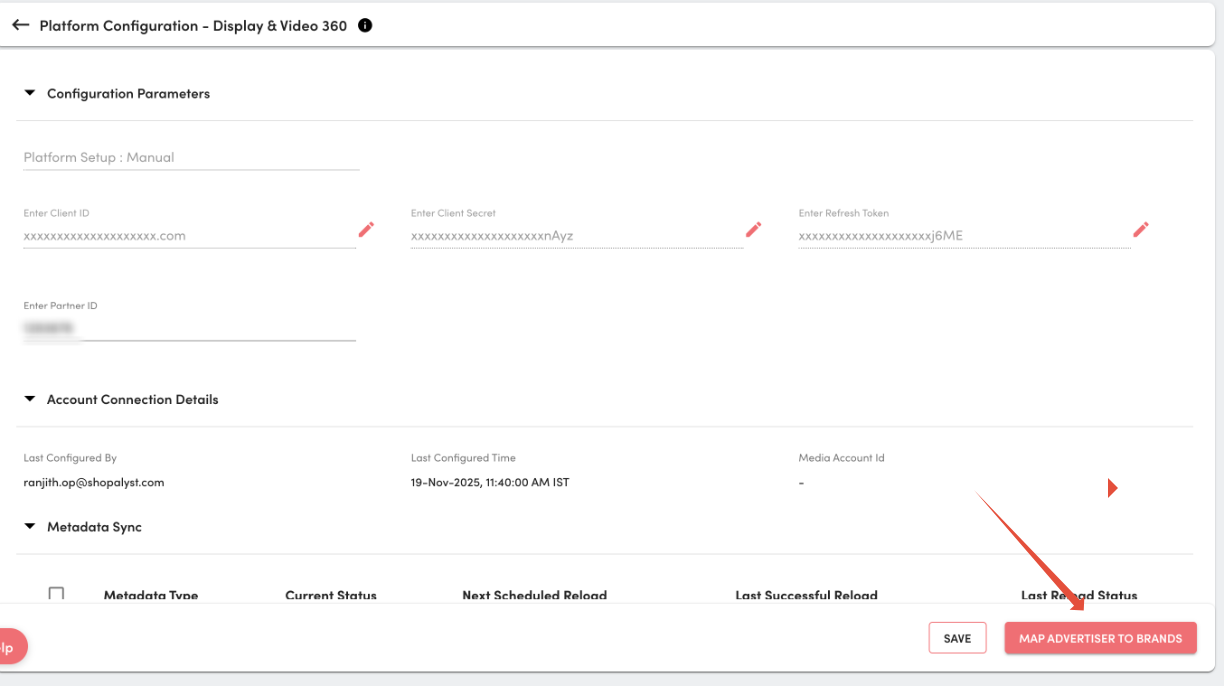
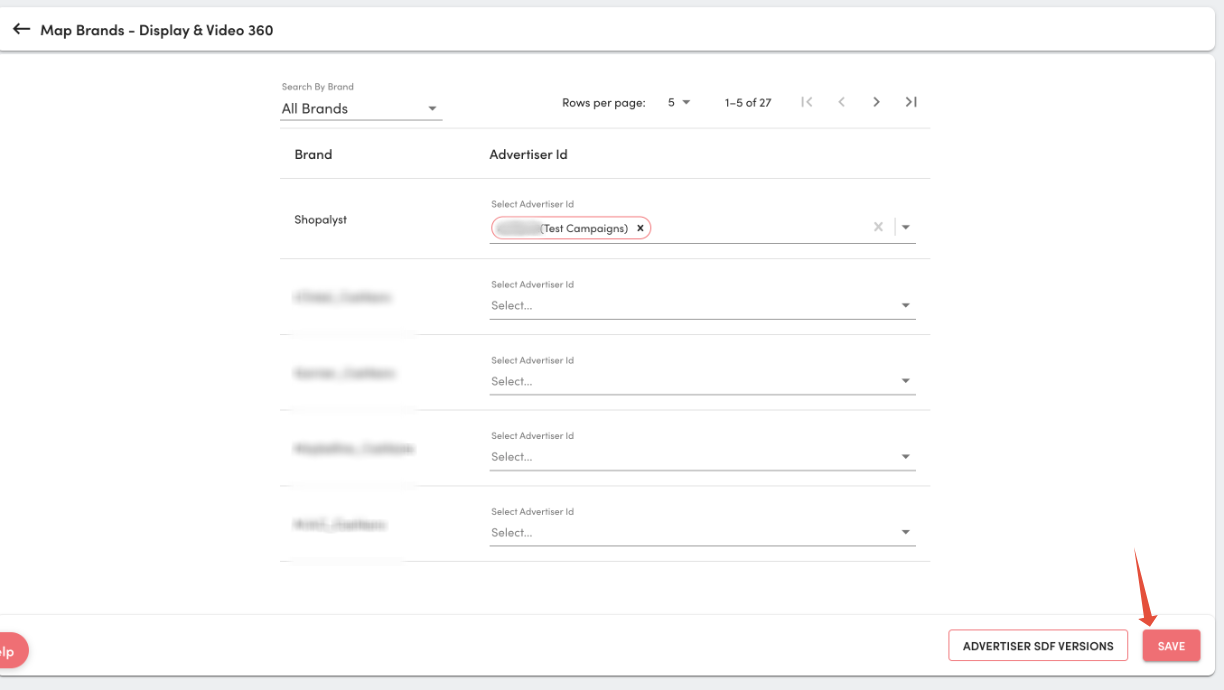
5. Select the required Advertiser ID from the drop-down for your brand. .
7. Click Save.
Looking for more help? Instructions to reach out to support are here