
Overview
We have rolled out a few minor yet valuable enhancements to the detailed performance pages, adding more video-focused metrics across DV360, Meta, and Google Ads campaigns to support deeper performance analysis.
What’s New
DV360
- View Through Rate (VTR) is now available at the ad group level.
Meta
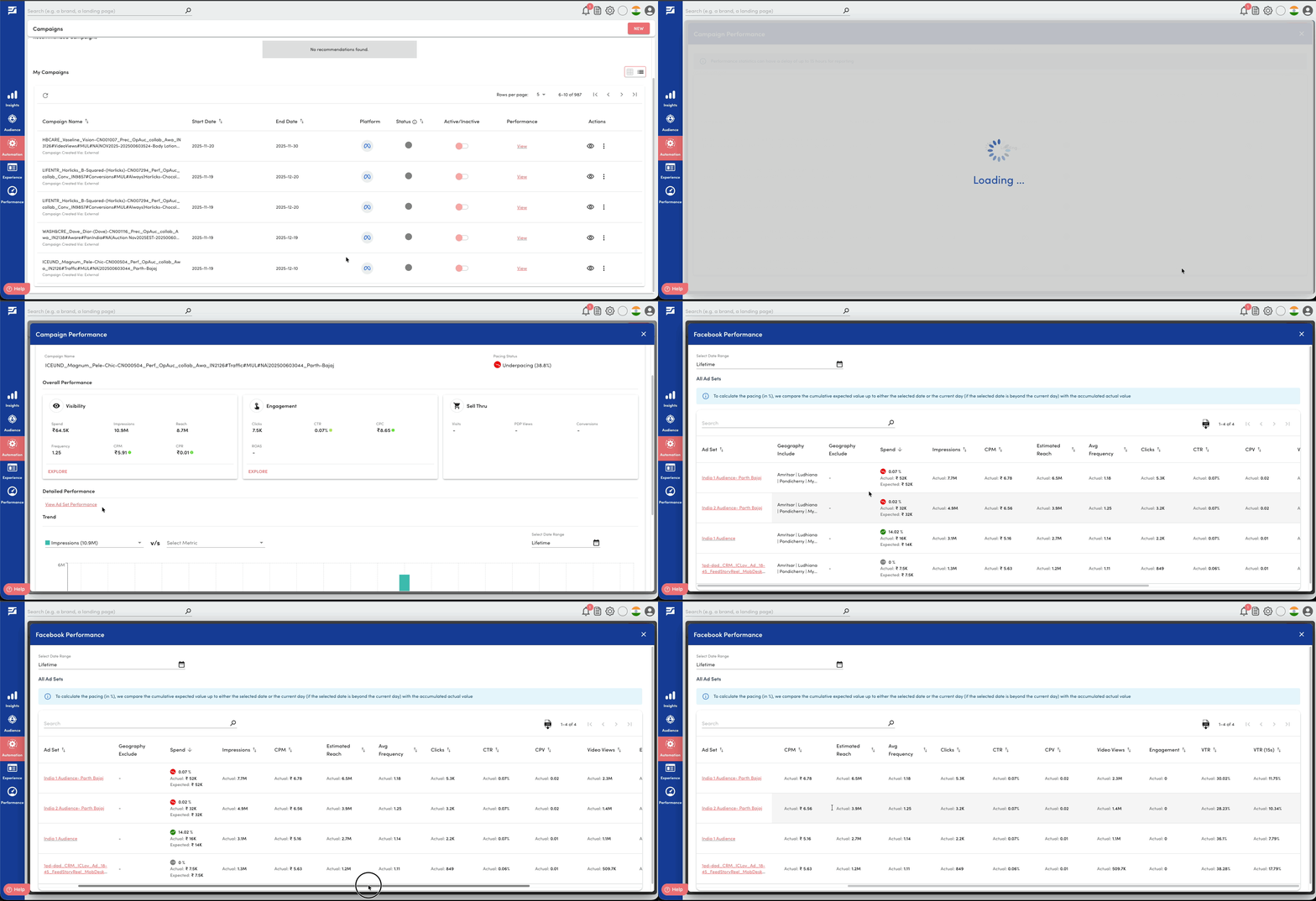
The following metrics are now available at both the ad set and ad level:
- View Through Rate (VTR)
- VTR at 15 seconds
- Engagement
Google Ads
- View Through Rate (VTR) is now available at the ad group and ad level.
Benefits
- Improved visibility into video engagement and completion behaviour
- Consistent video metrics across platforms and hierarchy levels
- Better comparison of creative and delivery performance
- More informed optimisation and reporting decisions
Getting Started
- Navigate to Campaign Performance
- Click View Ad Set / Ad Group / Insertion Order Performance
- Drill down to the relevant level to view the newly added metrics
Learn more about detailed campaign performance reporting in the following articles: