
Shopalyst optimises campaigns running on the TikTok platform by enabling optimisation rules, evaluating active TikTok campaigns using automated decision logic, and applying updates directly to these campaigns.
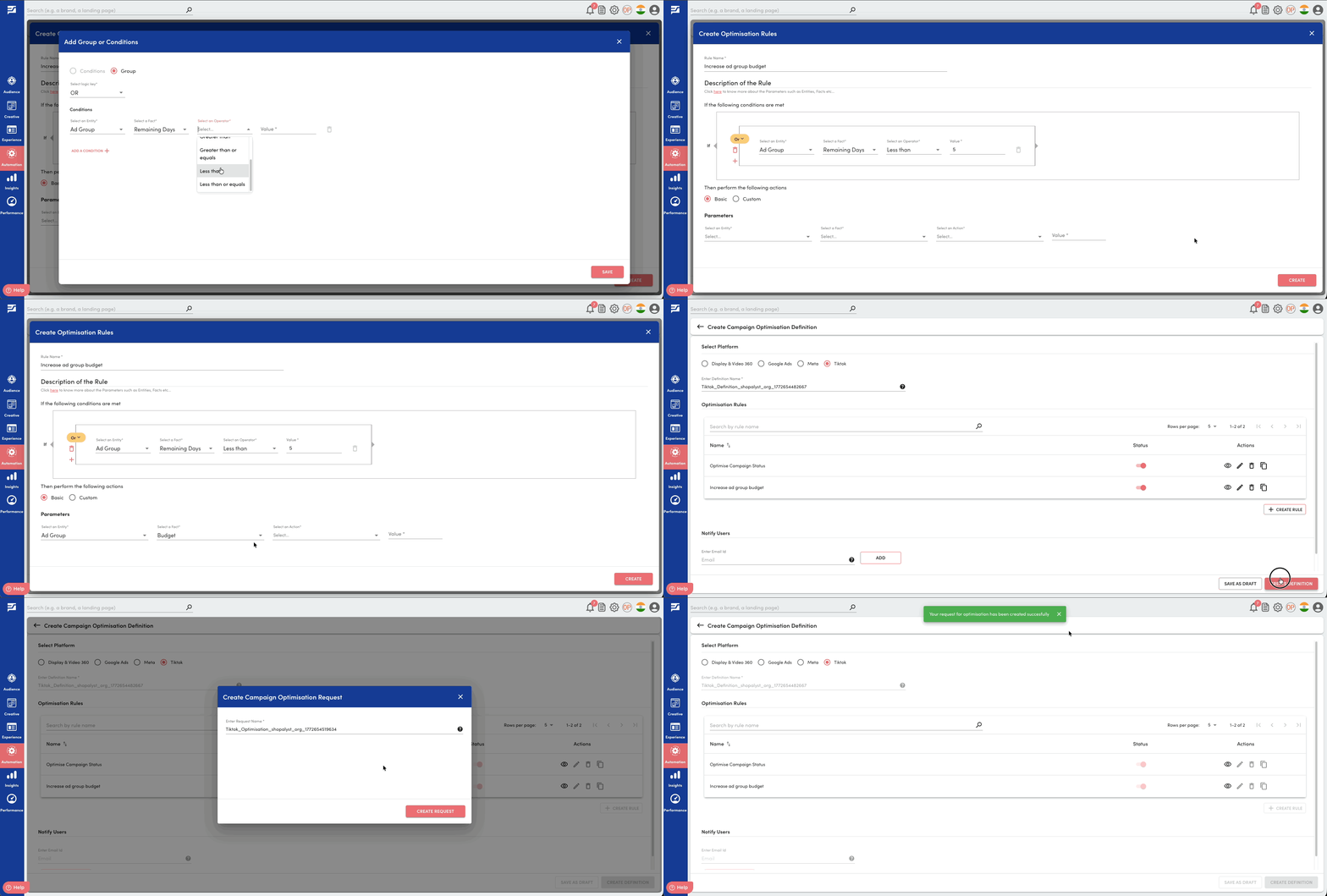
Follow the steps below to create a Campaign Optimisation Request:
Steps
1. Navigate to the Automation module and click on the "Campaign Optimisation" option.
2. Click the "New Definition" button. You can select Tiktok as the platform.
3. Create new request with the new Rule Definition from the Actions dropdown.
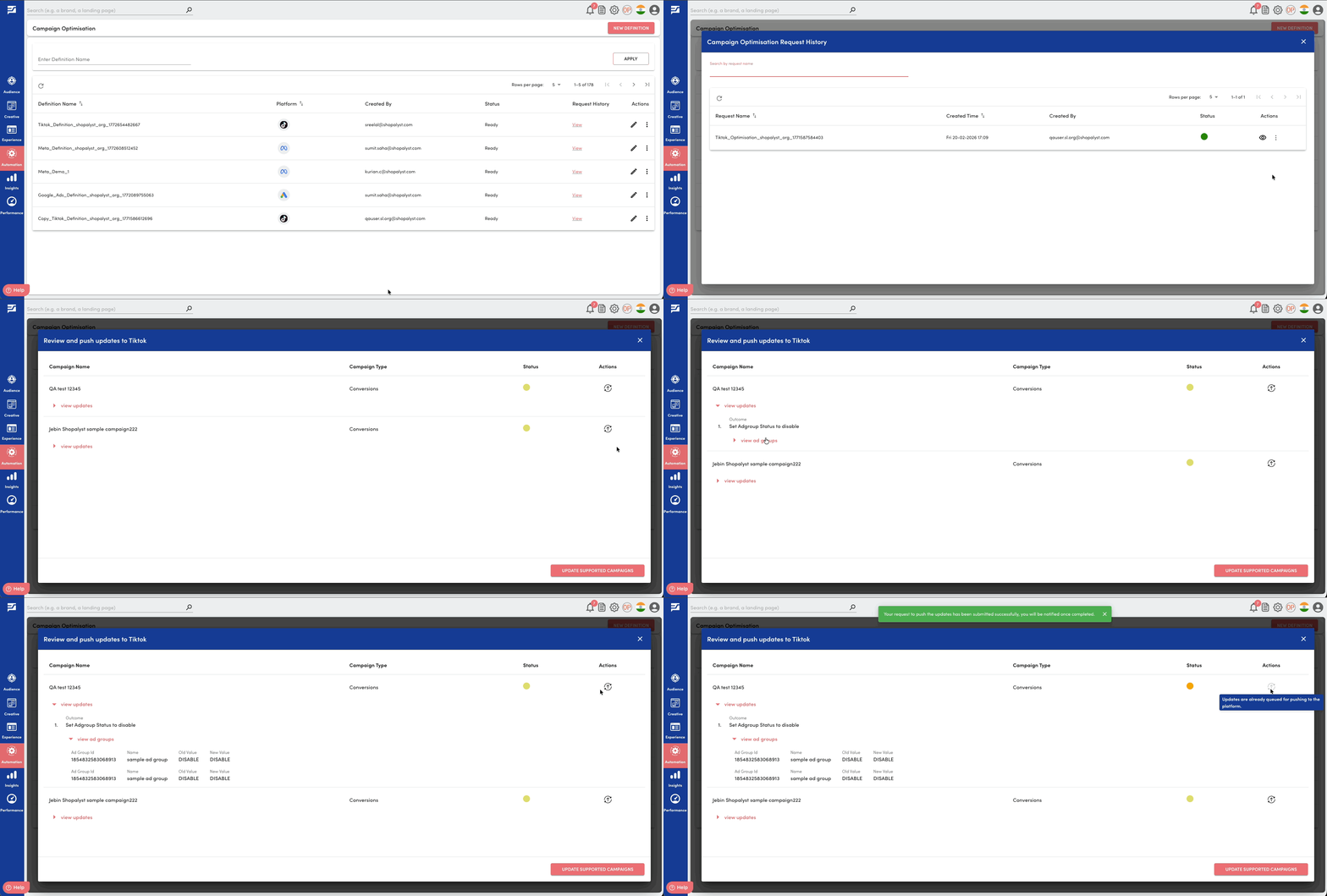
4.Once the optimisation request is completed successfully, navigate to Request History of the Rule Definition and click on Push Updates to Tiktok from the actions dropdown against your request.
4. Review the list of suggested optimisation outcomes.
5. Choose to Push Updates against individual campaign or Update Supported Campaigns across all campaigns.
6. Receive confirmation as a notification once the updates are applied in Tiktok.
Looking for more help? Instructions to reach out to the support team are here