
Overview
We have added support for pushing campaign updates directly to an existing DV360 campaign.
After a campaign has already been published to DV360, new Insertion Orders, Line Items, Ad Groups, and Ads can be pushed onto the same live campaign without re-uploading SDFs.
What's New
- Push to DV360 now supports campaign updates, not only first-time campaign creation.
- New Insertion Orders, Line Items, Ad Groups, and Ads are added under the existing DV360 campaign.
- The original DV360 campaign is not recreated or duplicated.
- After an update is published on Shopalyst Ad Automation, the campaign status shows SDF ready to push to Platform.
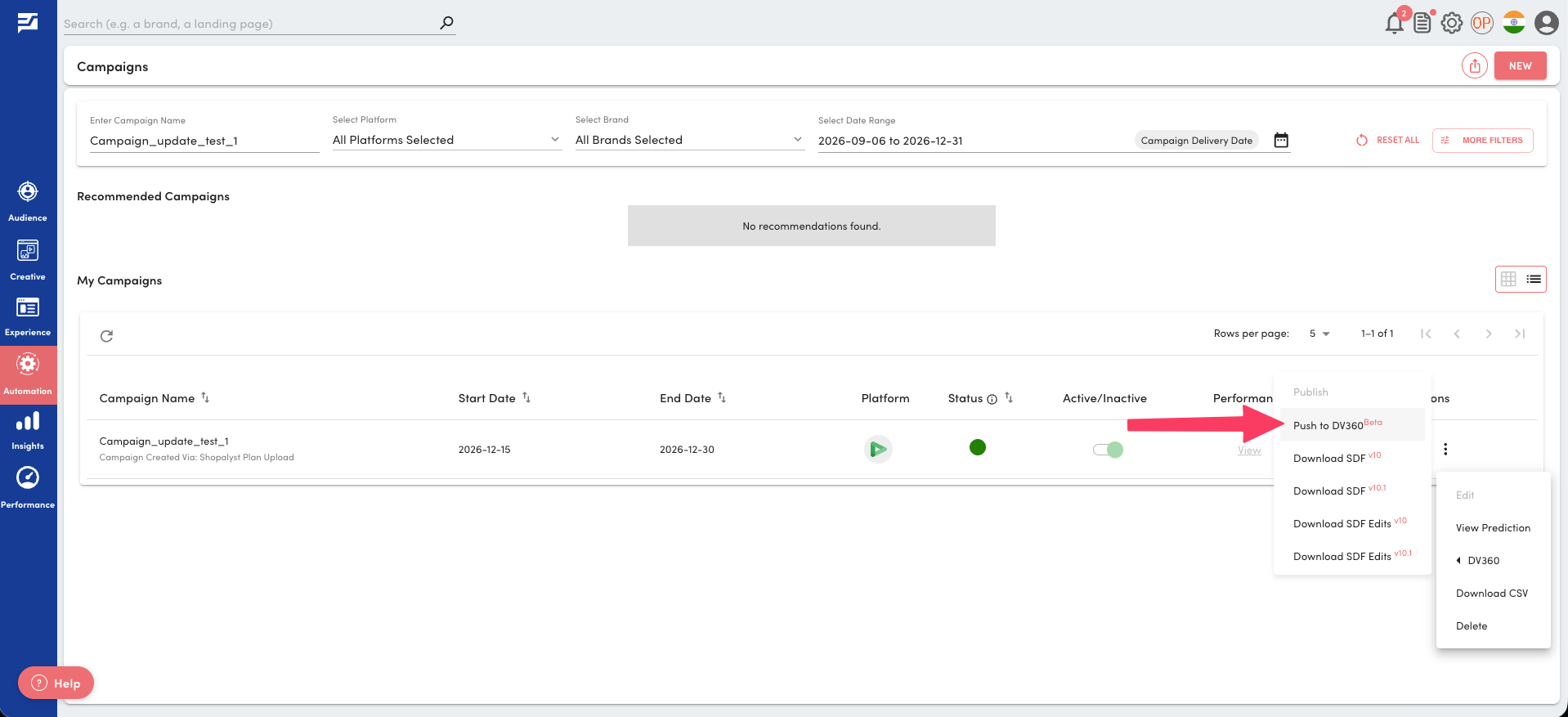
- Use the same Push to DV360 action. The system automatically applies the update to the live campaign.
Important Notes
- The campaign must already have been pushed to DV360 at least once.
- This flow only adds new child entities. It does not recreate the campaign itself or support updating existing entities.
- If an update push fails, only newly created Insertion Orders and Line Items are rolled back. The existing DV360 campaign is left unchanged.
- YouTube Ad Groups and Ads cannot be rolled back through the DV360 API if a push fails partway. Review those updates carefully before publishing.
- Direct publish still requires Google SDF Upload access for the advertiser. See
 Pre-requisites for publishing your SDF directly to DV360.
Getting Started
- Publish and push the original DV360 campaign as usual.
- Upload an updated media plan with Request Type set to
UPDATE, adding the new Insertion Orders, Line Items, Ad Groups, or Ads. - Publish the campaign in Signal.
- When the status shows SDF ready to push to Platform, click Push to DV360.
- Review the campaign summary, then confirm the upload.
- Monitor the status until it shows SDF files uploaded to Platform. The new entities will appear under the existing DV360 campaign.
Additional Information
To know more about DV360 bulk campaign upload and the Push to DV360 workflow, refer to  DV360 campaign creation via bulk upload and
  Preview Page for Push (SDF) to DV360.